AWS Cloud Computing: From Fundamentals to Real-World Architecture
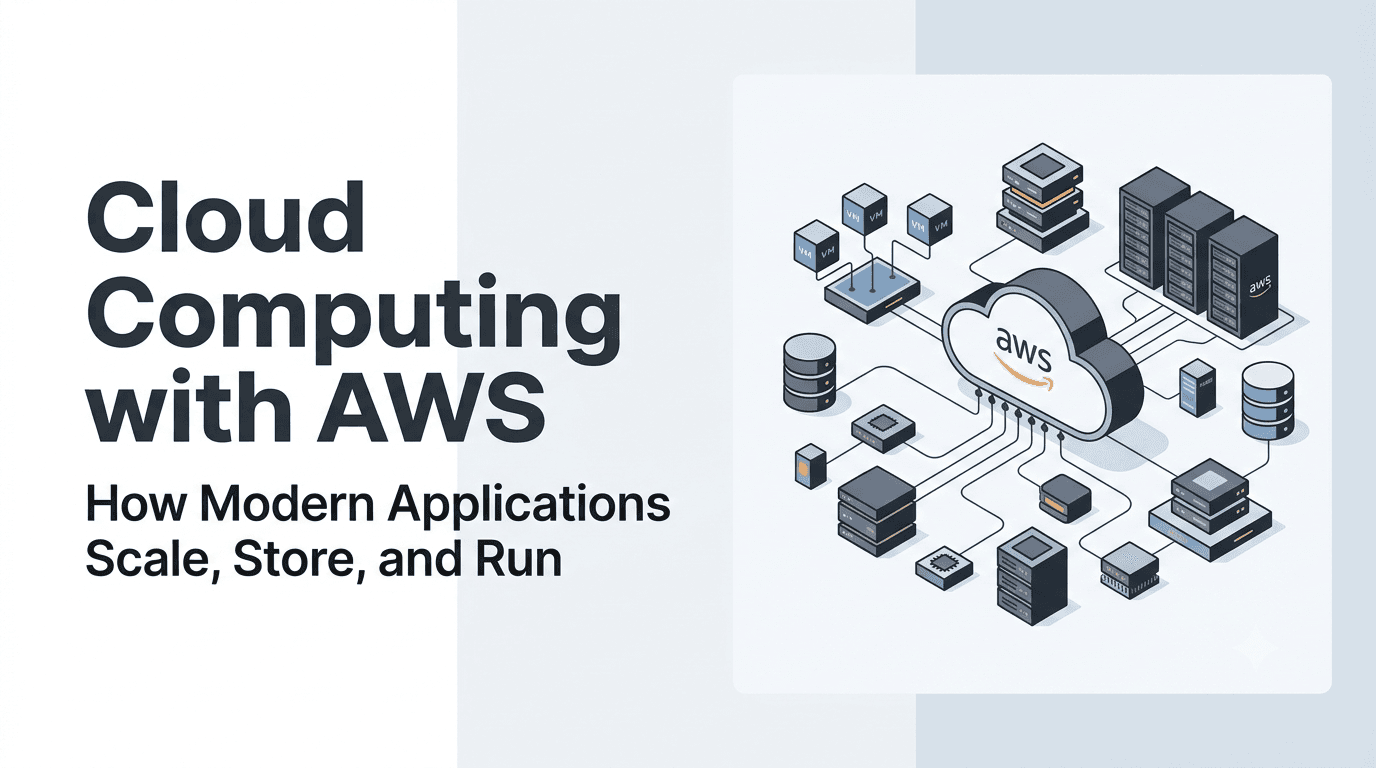
Cloud Computing with AWS: How Modern Applications Scale, Store, and Run
Cloud computing has changed how modern applications are designed, deployed, and maintained. Instead of purchasing physical servers, building data centers, and manually configuring infrastructure, developers can provision computing resources whenever they need them.
Consider an online learning platform with thousands of students. Some days, a few hundred users may access the platform. During examinations, thousands might log in simultaneously, download study materials, and submit assignments. The application must handle these traffic spikes without becoming unavailable, while keeping its data secure and its operating costs under control.
Solving this problem requires more than a powerful server. It requires distributed computing, virtualization, scalable infrastructure, reliable storage, automation, and intelligent resource management.
Amazon Web Services (AWS) provides services that help developers implement these capabilities. However, choosing AWS services effectively requires understanding the architectural principles behind them.
Let's explore how these technologies work together to build reliable, scalable cloud applications.
1. From a Single Server to Distributed Systems
Imagine deploying a web application on a single machine. The application server processes requests, the database stores user information, and the same machine might even store uploaded files.
This architecture is straightforward and can work well for a small project. As traffic increases, however, the machine may run out of CPU capacity, memory, or available connections. A hardware failure can also make the entire application unavailable.
There are two common ways to increase capacity.
- Vertical scaling: Increase the resources of an existing machine, such as its CPU and memory.
- Horizontal scaling: Add more machines and distribute the workload between them.
Vertical scaling can be useful, but a machine has practical limits. Horizontal scaling offers more flexibility, although it introduces additional architectural challenges.
What Is a Distributed System?
A distributed system consists of multiple independent computers that communicate over a network and coordinate their activities to provide a service.
Each computer, or node, may perform a specific role. One node might process requests, another might store data, and another might execute background jobs.
For example, an e-commerce application can separate authentication, product search, payments, and order processing into different services.
Scroll to zoom · Drag to pan
This design allows individual components to be maintained or scaled independently when their interfaces and dependencies are designed appropriately.
Common Distributed System Models
Different models organize communication and resource sharing in different ways.
Client-server architecture: Clients request services from servers. A mobile application communicating with a backend API is a common example.
Peer-to-peer architecture: Nodes can communicate directly and share resources without relying entirely on a central server.
Cluster computing: Multiple connected computers work together as a coordinated computing environment.
Grid computing: Computing resources from different machines or administrative environments are coordinated to solve larger computational problems.
Cloud computing: Computing capabilities are delivered as services that users can provision and manage through defined interfaces.
These models are not mutually exclusive. A cloud-hosted application might use a client-server architecture, run on a cluster of virtual machines, and use distributed workers to process background jobs.
Technologies That Enable Distributed Systems
Several technologies make distributed applications possible:
- Computer networks allow machines to communicate.
- TCP/IP and HTTP provide common communication mechanisms.
- APIs define how software components interact.
- Distributed databases store and retrieve data across systems.
- Message queues allow components to exchange work asynchronously.
- Virtualization and containers provide isolated execution environments.
- Scheduling and orchestration systems coordinate workloads across available resources.
- Monitoring and logging help operators understand system behavior.
A distributed system must also handle network delays, partial failures, duplicate requests, concurrency, and data consistency.
The key lesson: Adding more machines does not automatically make an application reliable or scalable. The communication patterns, data model, and failure-handling strategy matter just as much as the number of servers.
2. Clusters, Parallel Computing, and Scalability
When a workload becomes too large for one machine, it may be possible to divide it into smaller tasks and execute those tasks across multiple computers.
A computer cluster is a collection of interconnected machines that cooperate to perform a workload or provide a service.
Clusters are useful for high-performance computing, large-scale data processing, web applications, and services that need redundancy.
How Parallel Computing Works
Suppose a research application needs to analyze one million independent records. Processing every record sequentially may take considerable time.
Instead, the dataset can be divided into smaller partitions and distributed among several workers. Each worker processes its assigned records, and the results are combined.
Scroll to zoom · Drag to pan
If the work can be parallelized efficiently, the total processing time may decrease significantly.
However, parallel computing introduces overhead. Workers need tasks, communication may be required, and results must be collected. Some workloads also contain sequential steps that cannot be parallelized.
More workers do not always mean proportionally faster execution. The workload, coordination overhead, network performance, and resource utilization all influence the result.
Types of Clusters
High-performance computing clusters focus on computationally intensive workloads such as scientific simulations, engineering calculations, and molecular modeling.
Load-balancing clusters distribute incoming requests across multiple application instances. These are useful for web applications and APIs.
High-availability clusters use redundancy and recovery mechanisms to reduce service interruptions when individual components fail.
A cluster may provide more than one of these capabilities. For example, a web application can distribute traffic across several instances while deploying them across separate infrastructure failure domains.
How AWS Supports Cluster Computing
AWS offers services for different workload patterns:
- Amazon EC2 provides virtual compute instances.
- AWS ParallelCluster helps create and manage supported high-performance computing clusters.
- AWS Batch helps schedule and execute batch computing jobs.
- Amazon ECS orchestrates containerized applications.
- Amazon EKS provides a managed Kubernetes control plane.
- Elastic Load Balancing distributes incoming application traffic.
- EC2 Auto Scaling adjusts the number of instances according to configured policies.
These services solve different problems. A scientific simulation may need specialized compute instances and high-performance networking, while a web application may need a load balancer and automatic scaling.
Choose the cluster architecture according to the workload, not simply because more machines are available.
3. Virtualization: Making Better Use of Hardware
A physical server may have more computing capacity than a single application requires. Running only one lightly utilized application on that server can waste CPU, memory, and other resources.
Virtualization allows multiple isolated computing environments to share the resources of a physical machine.
How Virtual Machines Work
A virtual machine (VM) behaves like a computer with virtual CPU, memory, storage, networking, and an operating system.
A software layer called a hypervisor manages virtual machines and allocates the underlying physical resources.
Scroll to zoom · Drag to pan
Virtual machines provide isolation between workloads, subject to the security and isolation guarantees of the virtualization platform.
Types of Hypervisors
Type 1 hypervisors run directly on physical hardware and are commonly used in server and data-center environments.
Type 2 hypervisors run on top of a host operating system and are frequently used for local development, testing, and personal computing.
The appropriate type depends on the environment and its requirements.
Other Forms of Virtualization
Virtualization can be applied to more than computing hardware.
- Server virtualization creates multiple virtual servers on shared hardware.
- Storage virtualization presents physical storage through logical storage resources.
- Network virtualization creates logical networks over underlying infrastructure.
- Desktop virtualization provides managed desktop environments.
- Application virtualization isolates or manages application execution.
These techniques improve resource utilization and make infrastructure easier to provision and manage.
Virtual Machines Versus Containers
Virtual machines generally run separate guest operating systems over virtualized hardware.
Containers package an application and its dependencies while sharing the host operating system's kernel. They usually have less overhead than full virtual machines, although actual performance depends on the workload and configuration.
Containers and VMs are often used together. A container platform can run on virtual machines, combining virtual-machine isolation with consistent application packaging.
How AWS Uses Virtualization
Amazon EC2 provides virtual compute instances on AWS infrastructure. Customers choose an appropriate instance type, operating system image, storage configuration, and networking setup.
AWS manages the underlying physical infrastructure, while customers remain responsible for many operating-system and application tasks when using EC2.
Other AWS services offer managed containers, serverless functions, and application platforms that reduce the amount of infrastructure developers need to manage directly.
Virtualization is an enabling technology; cloud computing is the broader model for delivering, provisioning, and managing computing resources.
4. Understanding Cloud Computing
Cloud computing provides access to computing resources through services rather than requiring organizations to own and maintain all the underlying hardware.
Instead of waiting for physical servers to be purchased and installed, a developer can provision resources through a web console, API, command-line tool, or infrastructure automation system.
Essential Characteristics
Cloud computing commonly provides these characteristics:
- On-demand self-service: Resources can be provisioned when required.
- Broad network access: Services are accessible through supported network connections and interfaces.
- Resource pooling: Providers serve multiple customers using shared infrastructure with appropriate isolation.
- Rapid elasticity: Resources can be increased or reduced according to demand.
- Measured service: Usage can be monitored and billed according to the service's pricing model.
These capabilities are especially useful for applications with unpredictable traffic or changing computational requirements.
Cloud Deployment Models
Public cloud: Services run on infrastructure operated by a cloud provider. AWS is a prominent example.
Private cloud: Cloud capabilities are provided in an environment dedicated to an organization.
Hybrid cloud: Private infrastructure and public-cloud resources operate together.
Community cloud: Infrastructure is shared by organizations with common requirements, such as specific governance or regulatory needs.
The deployment model describes how the environment is organized and shared. It does not automatically determine whether the application is secure, resilient, or cost-effective.
Understanding AWS Regions and Availability Zones
AWS organizes infrastructure geographically.
An AWS Region is a separate geographical area containing AWS infrastructure. Within a Region, Availability Zones are distinct locations designed to provide isolation between infrastructure failure domains.
Deploying suitable application resources across multiple Availability Zones can improve resilience when one zone experiences a disruption.
Scroll to zoom · Drag to pan
This is a conceptual architecture. The database must also be configured to meet the application's availability and recovery requirements.
Running several instances in one Availability Zone does not provide the same zone-level resilience as deploying suitable resources across separate zones.
The Main Layers of a Cloud Application
A typical cloud application may involve:
- Physical infrastructure and networking.
- Virtual machines or container environments.
- Operating systems and application runtimes.
- Application services and APIs.
- Databases and storage.
- Identity, security, monitoring, and automation.
AWS provides services across these layers. Some expose low-level infrastructure, while others manage much of the underlying operational work.
Understanding the layers helps developers choose services based on control, operational effort, performance, and cost.
5. Choosing Between IaaS, PaaS, and SaaS
Cloud services are commonly grouped into three service models: Infrastructure as a Service, Platform as a Service, and Software as a Service.
Each model provides a different balance between control and operational responsibility.
Infrastructure as a Service (IaaS)
IaaS provides computing infrastructure such as virtual machines, storage, and networking.
The provider manages the physical infrastructure, while customers typically manage the operating system, installed software, application configuration, and related tasks.
AWS example: Amazon EC2
A developer can launch an EC2 instance, install Node.js, configure a web server, and deploy a backend API.
IaaS is useful when a team needs substantial control over the operating environment.
Platform as a Service (PaaS)
PaaS provides a managed environment for building, deploying, or running applications.
The platform handles more infrastructure and runtime management, allowing developers to focus on application code and configuration.
AWS Elastic Beanstalk and AWS App Runner offer managed application deployment experiences with different capabilities and operational models.
PaaS is useful when developers want to reduce server-management work without designing every infrastructure component themselves.
Software as a Service (SaaS)
SaaS delivers a complete application to end users. The provider manages the underlying infrastructure and most application operations.
Email platforms, collaboration tools, and online customer relationship management systems are common examples.
Customers generally configure and use the software instead of managing its servers.
Comparing the Models
| Responsibility | IaaS | PaaS | SaaS |
|---|---|---|---|
| Physical infrastructure | Provider | Provider | Provider |
| Operating system | Usually customer | Usually provider | Provider |
| Runtime and platform | Usually customer | Provider | Provider |
| Application management | Customer | Customer or shared | Provider |
| End-user configuration | Customer | Customer | Customer |
| Typical example | Virtual machines | Managed application platform | Ready-to-use software |
These are general patterns. The exact division of responsibility depends on the specific service.
How to Choose the Right Model
Choose IaaS when you need operating-system access, custom networking, or substantial control.
Choose a managed application platform when you want to deploy code while delegating more infrastructure operations.
Choose SaaS when an existing application already satisfies your requirements.
Serverless computing provides another approach, allowing developers to focus on application logic while the provider manages much of the resource provisioning and scaling.
The best model is the one that satisfies your requirements without introducing unnecessary operational complexity.
6. Connecting Applications Through Integration Services
Modern applications rarely work in isolation. They communicate with authentication systems, payment providers, databases, analytics tools, background workers, and external applications.
Integration architecture defines how these components exchange information and coordinate their work.
APIs as Integration Interfaces
An API defines how one software component interacts with another.
For example, a mobile application might send an HTTP request to a backend API. The backend authenticates the request, checks permissions, retrieves information from a database, and returns a JSON response.
Scroll to zoom · Drag to pan
In a real system, token validation may happen locally or through an identity provider, depending on the architecture.
Integration as a Service
Integration as a Service describes managed capabilities that help connect applications, exchange data, transform messages, and coordinate operations without requiring every integration component to be built from scratch.
AWS provides several services for these purposes:
- Amazon API Gateway creates and manages APIs.
- Amazon EventBridge routes events between applications and supported services.
- Amazon SQS provides managed message queues.
- Amazon SNS supports publish-and-subscribe messaging and notifications.
- AWS Step Functions coordinates multi-step workflows.
- Amazon AppFlow supports data flows between supported SaaS applications and AWS services.
These services have different responsibilities. A queue buffers work, an event bus routes events, and a workflow engine coordinates a sequence of tasks.
Synchronous Versus Asynchronous Communication
In synchronous communication, a caller waits for a response. REST APIs are a common example.
In asynchronous communication, the sender can submit work without waiting for the entire operation to finish. A queue can hold a message until a worker processes it.
Consider an order-processing application. The API can validate and store an order, then enqueue a notification task. The customer does not need to wait for an email to be sent before receiving a response.
Asynchronous communication can improve resilience and absorb traffic spikes. However, developers must handle retries, duplicate messages, ordering, timeouts, and eventual consistency appropriately.
Why Loose Coupling Matters
A tightly coupled application requires components to know too much about each other. Changes in one service may force changes throughout the system.
A loosely coupled architecture uses well-defined interfaces and messaging patterns to reduce these dependencies.
For example, a notification service can consume an order-created event without requiring the order service to know how email delivery works.
Loose coupling makes systems easier to extend, but it does not eliminate complexity. Event formats, service ownership, access control, observability, and error handling still require deliberate design.
7. Moving Existing Applications to AWS
Many organizations already operate applications on physical servers, virtual machines, or other cloud providers.
Moving an existing application and its associated data to a new environment is known as cloud migration.
Migration is not simply copying files to another server. It requires understanding dependencies, database compatibility, network connectivity, security, operational processes, and acceptable downtime.
Common Migration Strategies
Rehosting: Move an application to new infrastructure with minimal architectural changes. This is often called lift and shift.
Replatforming: Make limited changes to benefit from managed services without completely redesigning the application.
Refactoring or re-architecting: Change the application substantially to take advantage of cloud-native capabilities.
Repurchasing: Replace an existing application with a different product, often a SaaS solution.
Retiring: Decommission applications that are no longer needed.
Retaining: Keep applications in their current environment when migration is not currently justified.
The appropriate strategy depends on business requirements, technical constraints, cost, and risk.
A Practical Migration Process
Scroll to zoom · Drag to pan
A migration plan should identify dependencies, determine how data will be transferred, establish a rollback strategy, and define how success will be measured.
AWS Services That Support Migration
- AWS Application Migration Service supports lift-and-shift migration of compatible servers.
- AWS Database Migration Service (AWS DMS) supports database migration and replication scenarios.
- AWS DataSync automates supported data transfers between storage systems.
- AWS Migration Hub helps track migration activities across supported tools.
- AWS Application Discovery Service helps gather information about existing servers and dependencies where supported.
The appropriate service depends on the source environment, data volume, database engine, network conditions, and downtime requirements.
Example: Migrating a Node.js Application
Suppose a company runs a Node.js API and PostgreSQL database on a physical server.
A straightforward migration could move the API to an EC2 instance and the database to Amazon RDS.
The API would need environment configuration, networking, monitoring, and appropriate permissions. Database migration would require compatibility checks, data validation, connection changes, and a carefully planned cutover.
A more extensive redesign could containerize the application, add a load balancer, and introduce automatic scaling.
The first approach may be faster to implement. The second may improve flexibility and reduce some operational burdens, but it requires more planning and testing.
Cloud migration should be driven by business requirements, not by the assumption that every application must be redesigned.
8. Building an Enterprise-Ready Cloud Environment
Enterprise cloud architecture involves more than deploying application code. Organizations must also manage identity, networking, governance, compliance, monitoring, and operational responsibilities.
These concerns become especially important when multiple teams share cloud resources.
Organizing Accounts and Environments
An organization may separate development, testing, staging, and production environments to reduce accidental interference.
AWS Organizations supports centralized management of multiple AWS accounts. AWS Control Tower helps establish and govern a multi-account environment using supported landing-zone capabilities.
Account separation can improve isolation, billing visibility, and governance. It should be combined with appropriate identity policies, network controls, logging, and operational processes.
Identity and Access Management
AWS Identity and Access Management (IAM) controls access to AWS resources.
IAM policies define what identities can do. Roles allow trusted users, applications, or services to obtain temporary credentials under configured trust and permission policies.
A secure design follows the principle of least privilege: grant only the permissions required to perform a task.
For example, a backend service that reads objects from one S3 bucket should not automatically receive permission to delete objects from every bucket.
Networking and Isolation
Amazon Virtual Private Cloud (Amazon VPC) allows customers to define logical networking environments for supported AWS resources.
A typical application might place its public-facing load balancer in public subnets while keeping application instances and databases in private subnets.
Scroll to zoom · Drag to pan
This is a conceptual layout. Actual access depends on routing, security groups, service endpoints, and the selected architecture.
Monitoring and Operational Visibility
Amazon CloudWatch supports metrics, logs, alarms, and dashboards for supported AWS resources and applications.
AWS CloudTrail records supported account and API activity, helping teams investigate changes and review activity.
A useful monitoring strategy should answer questions such as:
- Is the application available?
- How long do requests take?
- Are errors increasing?
- Is the database approaching capacity?
- Are background jobs failing?
- Are costs increasing unexpectedly?
Observability is most useful when collected signals lead to clear operational actions.
Enterprise Cloud Providers and Managed Services
Large organizations may use cloud providers, managed-service partners, and enterprise platforms to operate complex environments.
T-Systems, part of Deutsche Telekom, is an example of an enterprise IT and digital services provider involved in cloud and infrastructure services.
Such providers can help organizations manage migration, infrastructure operations, governance, security, and hybrid environments.
Enterprise cloud adoption may require existing data centers, legacy applications, regulatory obligations, and new cloud workloads to coexist.
The key architectural lesson is that enterprise migration is often a long-term transformation rather than a simple transfer from one server to another.
9. Provisioning and Managing Virtual Machines
Provisioning is the process of allocating and configuring the resources an application needs to run.
In a cloud environment, provisioning can be manual, scripted, or automated through infrastructure-as-code tools.
What Happens When You Launch an EC2 Instance?
When creating an EC2 instance, several decisions affect performance, security, and cost.
Amazon Machine Image (AMI): Defines the base image used to launch the instance, including its operating system and configured software.
Instance type: Determines the available compute, memory, storage, and networking characteristics.
Storage configuration: Defines the volumes and storage options attached to the instance.
Networking: Determines the VPC, subnet, network interfaces, and associated security groups.
Identity and access: An instance profile can provide an IAM role to supported applications running on the instance.
User data: Can execute supported initialization scripts during instance launch.
Monitoring and recovery: Health checks, alarms, backups, and replacement policies support reliable operations.
A production instance should not be exposed to the internet without a deliberate network and access-control design.
Infrastructure as Code
Manual infrastructure creation becomes difficult to reproduce consistently as systems grow.
Infrastructure as Code (IaC) defines infrastructure in machine-readable files that can be reviewed, version-controlled, and deployed repeatedly.
AWS CloudFormation provides a native way to describe and provision AWS resources through templates. Terraform is another option for managing infrastructure.
A team can define a VPC, load balancer, application instances, and database configuration as code rather than manually recreating them in each environment.
IaC improves repeatability and helps reduce configuration drift, but templates still require testing, access controls, and careful management of changes.
Virtual Machine Migration and Management
Moving a virtual machine between environments may involve copying disks, converting images, transferring configuration, and validating the destination.
Not every VM can be moved without changes. Hardware dependencies, operating-system compatibility, licensing, drivers, network configuration, and application assumptions may affect migration.
After deployment, VM management includes:
- Monitoring CPU, memory, disk, and network utilization.
- Applying operating-system and security updates.
- Selecting suitable instance sizes.
- Managing storage and network configuration.
- Replacing unhealthy instances.
- Scheduling maintenance.
- Reviewing capacity and costs.
The objective is to maintain the required performance and availability without paying for unnecessary resources.
10. Scaling Beyond a Single Machine
A production application should not depend on one server if uninterrupted service is important.
A more resilient design distributes requests across multiple application instances and replaces unhealthy instances when necessary.
Load Balancing
A load balancer distributes incoming traffic across registered targets according to its configuration and health checks.
AWS Elastic Load Balancing provides load-balancing capabilities for supported application architectures.
Scroll to zoom · Drag to pan
Multiple instances can process requests concurrently. Shared data must still be managed correctly, and the architecture must account for sessions, caches, and background jobs.
Automatic Scaling
Amazon EC2 Auto Scaling can adjust the number of EC2 instances according to configured scaling policies and health checks.
For example, an application might add instances when CPU utilization or another selected metric indicates sustained demand.
Scaling policies should account for startup time, traffic patterns, health checks, and the time required for new instances to become ready.
Scaling too aggressively can increase costs, while scaling too slowly can degrade performance.
Containers and Managed Orchestration
Containers make applications easier to package consistently across development and production environments.
Amazon ECS provides container orchestration, while Amazon EKS provides a managed Kubernetes control plane and supports Kubernetes-based deployments.
These platforms help teams manage container placement, deployments, service discovery, and scaling, depending on the chosen configuration.
Containers do not automatically make an application scalable. The application still needs suitable resource limits, health checks, data management, and an architecture that supports additional replicas.
Cluster as a Service
A cluster can be provided as a managed or provisioned environment rather than assembled and operated entirely by an application team.
The term Cluster as a Service (CaaS) can describe managed computing clusters in some contexts. In other contexts, CaaS means Container as a Service, so the intended meaning depends on the platform.
For high-performance computing, a managed cluster environment may provide compute nodes, scheduling, and cluster configuration.
For containerized applications, a managed orchestration platform can provide workload scheduling and cluster management.
AWS ParallelCluster, Amazon ECS, and Amazon EKS serve different purposes and should be chosen according to the workload.
11. Protecting Data in Distributed Cloud Storage
Data is one of the most important parts of any application. A scalable system must store information reliably, protect it from unauthorized access, and recover it when failures occur.
Cloud storage includes several technologies designed for different data access patterns.
Object, Block, and File Storage
Object storage — Amazon S3
Amazon S3 stores objects inside buckets. It is well suited for documents, images, backups, logs, media, and data-lake workloads.
Applications access objects through supported APIs rather than treating S3 as a conventional disk attached to a server.
Block storage — Amazon EBS
Amazon EBS provides block storage volumes for supported EC2 workloads. These volumes are commonly used for operating systems, databases, and applications that need block-device semantics.
File storage — Amazon EFS
Amazon EFS provides managed shared file storage for supported workloads. It is useful when multiple compute resources need access to a shared file system.
The correct option depends on access patterns, latency, durability, sharing requirements, and cost.
How Distributed Storage Works
Distributed storage systems use multiple physical devices or infrastructure components to store and serve data.
Depending on the service, techniques such as replication, redundancy, checksums, and recovery mechanisms can help protect data against specific failures.
These mechanisms differ by service. Customers should understand the actual durability, availability, replication, and recovery guarantees rather than assuming all cloud storage behaves identically.
Building a Secure Storage Architecture
Scroll to zoom · Drag to pan
This diagram shows complementary controls rather than a literal processing sequence.
A secure implementation should consider:
- Authentication and authorization: Limit which identities can read, write, or delete data.
- Encryption at rest: Use supported encryption options and manage encryption keys appropriately.
- Encryption in transit: Protect data moving between clients and services.
- Versioning: Retain earlier object versions where appropriate.
- Backups and recovery: Maintain recoverable copies according to business requirements.
- Auditability: Monitor access and administrative activity.
- Lifecycle management: Transition or expire eligible data according to retention requirements.
Versioning is not a complete backup strategy by itself. Additional protections may be needed if an attacker or privileged identity could delete all versions.
Consistency and Distributed Data
When data is replicated across systems or locations, an application must consider how quickly updates become visible and what happens during failures.
Some systems provide strong consistency for supported operations. Others may expose eventual consistency or require application-level coordination.
For example, a profile page may tolerate a short delay before a non-critical update appears everywhere. A financial transaction requires stricter correctness controls and carefully designed transaction handling.
Cloud architecture should define data consistency and recovery requirements explicitly rather than treating all distributed data as interchangeable.
12. Beyond Basic Cloud Services: Distributed Computing Platforms
Cloud providers supply infrastructure and managed services, but additional platforms and frameworks can coordinate distributed applications, computational tasks, and enterprise workflows.
These platforms address a question beyond simply obtaining compute capacity: How should work be distributed, scheduled, monitored, and recovered across many resources?
Aneka: Building Distributed Applications
Aneka is a distributed application platform designed to support the development and execution of applications across distributed computing resources.
It has been associated with programming models such as task, thread, and MapReduce-style computing, along with resource management and scheduling capabilities.
Consider a workload that processes thousands of independent images. Instead of manually managing every worker, a distributed computing framework can divide the workload into tasks, assign them to available resources, and collect the results.
Aneka illustrates the platform layer that can sit above raw computing infrastructure. It is not an AWS service, although distributed computing platforms can conceptually operate on suitable cloud resources.
CometCloud: Adaptive Cloud and Grid Computing
CometCloud is a research-oriented framework associated with autonomic computing across distributed and cloud environments.
Its approach focuses on coordinating resources and adapting execution to changing conditions, including resource availability and workload demand.
The broader architectural lesson is that distributed applications may need to respond to changing capacity rather than assume a fixed group of machines will always be available.
AWS services such as queues, orchestration tools, and managed compute platforms address parts of the same broad operational problem, but they are not the same product as CometCloud.
Why These Platforms Matter
Cloud infrastructure provides resources, but the application still needs a strategy for deciding:
- Which task should run next?
- Which resource can execute it?
- How should failed tasks be retried?
- How should results be collected?
- How should resource availability affect scheduling?
- How can the system avoid wasting capacity?
Distributed computing platforms and schedulers address these questions in different ways.
The infrastructure supplies computing capacity; the scheduling and execution layer determines how effectively the workload uses it.
13. Automating Multi-Step Workflows
Many applications require multiple operations to complete a task.
An order-processing system might validate an order, reserve inventory, request payment, update the order status, and send a notification.
Running every step inside a single long-lived request can make the system fragile. If one operation takes too long or fails, the application needs a way to track progress and recover.
This is where workflow orchestration becomes useful.
What Is a Cloud Workflow Engine?
A workflow engine coordinates a sequence of tasks and defines how execution proceeds when tasks succeed, fail, or need to be retried.
Depending on the engine, workflows may support conditional branching, parallel tasks, timeouts, retries, and persistent execution state.
AWS Step Functions is a managed workflow orchestration service that can coordinate supported AWS services and application tasks.
Example: Processing an Order
Scroll to zoom · Drag to pan
This is a simplified business workflow. Production implementations must define behavior for inventory failures, payment timeouts, duplicate requests, retries, and compensation for operations that have already succeeded.
Why Workflow Orchestration Matters
A workflow engine can make complex processing easier to understand and operate.
It can preserve execution state, provide visibility into failed steps, and separate business processes from the individual services that perform them.
However, orchestration does not automatically make every operation transactional. If one step modifies an external system and a later step fails, the workflow may need a compensating action.
For example, if inventory is reserved but payment fails, the application should release the reservation rather than retry the entire process without considering earlier side effects.
Choosing Between Queues and Workflows
A queue is useful when messages need to wait for workers and be processed asynchronously.
A workflow engine is useful when tasks have dependencies, conditional paths, or a sequence of steps that needs to be tracked.
They can work together. A workflow might submit jobs to a queue, wait for results, and continue after the jobs finish.
14. Running Scientific and Data-Intensive Workloads
Scientific applications often need large amounts of computation, repeated experiments, specialized hardware, or the processing of huge datasets.
Examples include climate modeling, computational chemistry, genomics, engineering simulations, image analysis, and machine learning.
These workloads can be expensive or impractical to run on a single workstation.
Why Scientific Applications Need Cloud Resources
Scientific computing often involves:
- Large datasets requiring substantial storage.
- CPU-intensive calculations.
- GPU-intensive computations.
- Independent jobs that can run in parallel.
- Repeated experiments with different parameters.
- Temporary demand for large amounts of computing capacity.
Cloud resources allow researchers to provision suitable capacity for an experiment and release it when the work is complete.
The best design depends on whether the application needs tightly coupled parallel computation, independent batch jobs, interactive analysis, or a managed machine-learning environment.
A Scientific Workflow on AWS
Suppose a research team needs to process thousands of simulation jobs.
Each job receives input parameters, performs a calculation, and produces an output file. The results are then aggregated and analyzed.
Scroll to zoom · Drag to pan
An AWS implementation might use Amazon S3 for input and output data, AWS Batch for batch-job coordination, and EC2 compute resources selected for the workload.
For more tightly coupled high-performance computing workloads, AWS ParallelCluster may help deploy a suitable cluster environment.
GPU-based workloads may require appropriate GPU-enabled instance types and compatible software.
Scientific Workflows and Reproducibility
Scientific results should be reproducible whenever possible.
A robust workflow records the input dataset, application version, parameters, runtime configuration, and output artifacts. It should also record failed jobs and preserve enough information to rerun or investigate them.
Cloud automation can make workflows repeatable, but reproducibility still depends on disciplined experiment management and version control.
Controlling Cost for Scientific Workloads
Scientific jobs may consume significant resources for short periods. Cost control is therefore an architectural concern.
Useful practices include selecting appropriate instance types, measuring runtime, storing results efficiently, shutting down unused resources, and using suitable purchasing options for workloads that can tolerate interruptions.
Spot Instances may be appropriate for certain fault-tolerant or checkpointed workloads, but interruption handling must be designed into the application.
15. Putting Everything Together: A Real AWS Architecture
Consider an online learning platform where students can register, browse courses, download study material, and submit assignments.
The platform must handle unpredictable traffic, store user data securely, and process background tasks without blocking normal application requests.
A practical architecture might use:
- Amazon Route 53 for DNS routing.
- Amazon CloudFront for content delivery and eligible cached content.
- Application Load Balancer for distributing supported application requests.
- Amazon EC2 with Auto Scaling for application compute capacity.
- Amazon RDS for managed relational database capabilities.
- Amazon S3 for course files and uploaded documents.
- Amazon SQS for buffering asynchronous work.
- AWS Lambda for suitable event-driven tasks.
- Amazon CloudWatch for monitoring and operational visibility.
- AWS IAM for identity and access control.
Not every application needs all these services. The architecture should remain as simple as possible while meeting its requirements.
Architecture Overview
Scroll to zoom · Drag to pan
This is a logical overview, not a complete deployment specification. The application instances and database require appropriate subnet placement, access policies, network rules, backup configuration, and recovery procedures.
How a Student Request Flows Through the System
When a student opens the platform, DNS directs the browser to the configured application endpoint.
CloudFront can serve eligible cached content from an edge location. Requests that require dynamic processing are routed to the appropriate application endpoint.
The load balancer distributes traffic across healthy application instances. The application validates the request, applies authorization rules, and retrieves data from the database or object storage.
If a task takes longer to complete, the application may enqueue it for background processing. A worker processes the task independently and stores its result.
Monitoring tools collect operational signals that help the team identify failures, investigate latency, and manage capacity.
Why This Architecture Works
The design separates several responsibilities:
- Traffic distribution is handled by the load balancer.
- Application processing runs on scalable compute resources.
- Structured application data is stored in a relational database.
- Files are stored separately in object storage.
- Background tasks are processed asynchronously.
- Monitoring provides visibility across components.
This separation can improve scalability and operational flexibility, but it also creates more components to secure and manage.
A small student project might start with one application instance, a managed database, and object storage. Redundancy and asynchronous processing can be introduced as the requirements grow.
Good cloud architecture evolves with the application rather than starting with unnecessary complexity.
16. Security, Reliability, and Cost Optimization
A cloud architecture is not complete merely because the application works. It must also meet its security, availability, recovery, and budget requirements.
Follow the Shared Responsibility Model
AWS operates and secures the underlying cloud infrastructure. Customers remain responsible for security tasks associated with the services they use.
The exact division of responsibility varies by service.
For example, when using EC2, customers are generally responsible for guest operating-system updates, application security, and access configuration. A managed service may reduce operational responsibilities, but it does not eliminate the need for secure identity policies, data protection, and appropriate configuration.
Apply Defense in Depth
Security should not depend on a single control.
A well-designed application may combine:
- Least-privilege IAM policies.
- Private networking for internal resources.
- Encryption in transit and at rest.
- Secure secret management.
- Application-level authorization.
- Logging and monitoring.
- Regular patching and dependency updates.
- Tested backup and recovery procedures.
Security controls should reflect the sensitivity of the data and the risks the application faces.
Design for Failure
Reliable systems assume that individual components can fail.
Useful practices include deploying suitable resources across Availability Zones, configuring health checks, using retries with limits, applying timeouts, and making important operations safe to retry.
Retries should generally use backoff and jitter where appropriate to avoid overwhelming an already failing service.
Backups are also essential, but they should be tested through actual recovery exercises. A backup that cannot be restored within the required time is not sufficient for a critical application.
Understand RTO and RPO
Two useful measures help define recovery requirements.
Recovery Time Objective (RTO) is the maximum acceptable time required to restore a service after a disruption.
Recovery Point Objective (RPO) is the maximum acceptable amount of data loss measured in time.
A student portfolio website may tolerate a longer recovery time than a payment-processing platform.
These objectives influence backup frequency, replication, failover strategy, and infrastructure redundancy.
Optimize Cost Without Sacrificing Requirements
Cloud billing depends on the services used, resource sizes, operating duration, storage, data transfer, and other service-specific factors.
Useful practices include:
- Selecting appropriately sized compute resources.
- Removing unused resources.
- Setting budgets and billing alerts.
- Reviewing storage lifecycle policies.
- Monitoring data-transfer costs.
- Using automatic scaling where appropriate.
- Evaluating Savings Plans or Reserved Instances for suitable steady-state usage.
- Using Spot Instances only for interruption-tolerant workloads.
- Comparing managed-service costs against operational savings.
A managed service may cost more per unit of compute while reducing maintenance effort. Conversely, a highly distributed architecture may introduce unnecessary costs for an application with very little traffic.
AWS Cost Explorer and AWS Budgets can help teams understand spending and establish budget controls.
Use the AWS Well-Architected Framework
The AWS Well-Architected Framework provides guidance for evaluating cloud architectures across six pillars:
- Operational Excellence: Run and improve systems effectively.
- Security: Protect systems, data, and identities.
- Reliability: Recover from failures and meet availability requirements.
- Performance Efficiency: Use suitable resources for the workload.
- Cost Optimization: Avoid unnecessary expenditure.
- Sustainability: Consider resource efficiency and environmental impact.
These pillars help teams evaluate trade-offs rather than focus on one metric, such as performance or cost, in isolation.
Final Thoughts
Cloud computing is much more than renting virtual machines. It combines distributed systems, virtualization, networking, storage, automation, security, and resource management into a flexible way of building and operating software.
AWS provides building blocks for these capabilities, ranging from EC2 instances and storage services to managed application platforms, workflow orchestration, and high-performance computing environments.
The most effective cloud architecture is not necessarily the most complicated one. It is the architecture that meets the application's requirements, handles expected failures, protects its data, and remains manageable as demand changes.
For developers, the best way to understand these concepts is to build something practical. Start with a small application, deploy it to AWS, configure its storage and networking, add monitoring, and then introduce scaling and failure recovery as needed.
Each improvement reveals an important lesson:
Good cloud engineering is not about using every available service. It is about choosing the right resources, understanding their trade-offs, and connecting them into a system that works reliably.
Further Reading
For service details, architecture examples, and current capabilities, consult the official documentation:
Related Articles