Build a REST API with Node.js and Express
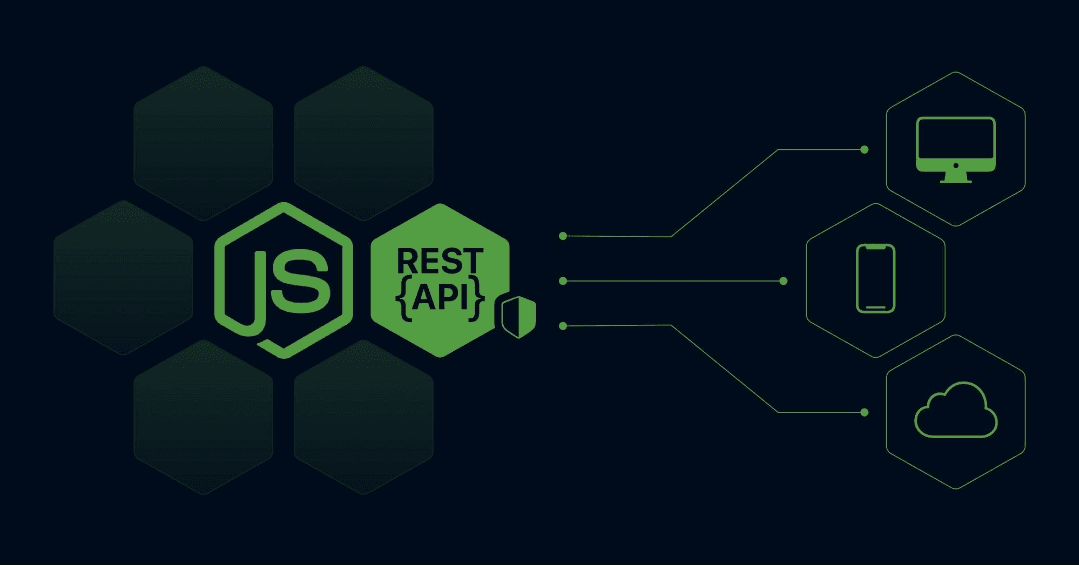
Build a REST API with Node.js and Express
A REST API allows applications to communicate over HTTP using predictable endpoints and request methods.
For example, a task management application might need to create tasks, display a task list, update task status, and delete completed tasks. Instead of implementing this logic separately in every client, we can expose an API that handles these operations.
In this tutorial, we'll build a working task management API using:
- Node.js to run JavaScript on the server.
- Express to handle HTTP requests and routes.
- JavaScript ES modules to organize the code.
- In-memory storage to keep the initial example simple.
- curl to test the endpoints.
By the end, you'll have a small API with CRUD operations, input validation, consistent error handling, and a structure that can be extended with a database.
This tutorial uses in-memory storage so you can run the API without configuring a database. Data will be lost whenever the server restarts. We'll explain how to replace this storage before production use.
1. Understand the API We Are Building
Our API will manage tasks. Each task has an ID, a title, a completion status, and timestamps.
Example task:
{
  "id": "task-123",
  "title": "Finish portfolio",
  "completed": false,
  "createdAt": "2026-10-18T10:00:00.000Z",
  "updatedAt": "2026-10-18T10:00:00.000Z"
}
The ID and timestamps are illustrative; the application will generate them.
We'll implement these endpoints:
| Method | Endpoint | Purpose |
|---|---|---|
GET | /api/tasks | Get all tasks |
GET | /api/tasks/:id | Get one task |
POST | /api/tasks | Create a task |
PATCH | /api/tasks/:id | Update a task |
DELETE | /api/tasks/:id | Delete a task |
These operations are commonly called CRUD:
- Create: Add a task.
- Read: Retrieve tasks.
- Update: Change a task.
- Delete: Remove a task.
2. Set Up the Project
First, install a current supported Node.js LTS release if you haven't already.
Verify the installation:
node --version
npm --version
Create the project:
mkdir task-api
cd task-api
npm init -y
npm install express
Configure package.json to use ES modules and define the start scripts:
{
  "name": "task-api",
  "version": "1.0.0",
  "private": true,
  "type": "module",
  "scripts": {
    "start": "node src/server.js",
    "dev": "node --watch src/server.js"
  },
  "dependencies": {
    "express": "^5.0.0"
  }
}
Keep the Express version installed by npm in your actual package.json and lockfile. The version range above illustrates an Express 5 setup.
Create this folder structure:
task-api/
├── src/
│   ├── middleware/
│   │   ├── errorHandler.js
│   │   └── notFound.js
│   ├── routes/
│   │   └── tasks.js
│   ├── app.js
│   └── server.js
├── package.json
└── package-lock.json
Each file has one main responsibility:
server.jsstarts the HTTP server.app.jsconfigures Express and middleware.routes/tasks.jscontains the task endpoints.notFound.jshandles unknown routes.errorHandler.jsreturns consistent error responses.
This separation keeps routing, server startup, and error handling from becoming one large file.
3. Create the Express Application
Create src/app.js:
import express from "express";
import taskRoutes from "./routes/tasks.js";
import { notFound } from "./middleware/notFound.js";
import { errorHandler } from "./middleware/errorHandler.js";

const app = express();

app.disable("x-powered-by");

app.use(express.json({ limit: "10kb" }));

app.get("/health", (req, res) => {
  res.status(200).json({
    status: "ok",
  });
});

app.use("/api/tasks", taskRoutes);

app.use(notFound);
app.use(errorHandler);

export default app;
Let's understand the important parts.
express.json()
app.use(express.json({ limit: "10kb" }));This middleware parses incoming JSON request bodies and makes the parsed value available through req.body.
For example, the client might send:
{
  "title": "Learn Express"
}
Without JSON parsing middleware, Express would not automatically populate req.body with that JSON payload.
The size limit also prevents unnecessarily large JSON bodies from being accepted by this parser. Choose a limit appropriate for your application.
Health endpoint
app.get("/health", (req, res) => {
  res.status(200).json({ status: "ok" });
});
This endpoint gives a basic indication that the application can respond to requests. A production health strategy may also distinguish between application liveness and dependency readiness.
Route mounting
app.use("/api/tasks", taskRoutes);This mounts all routes from taskRoutes under /api/tasks.
For example, a route defined as router.get("/") becomes GET /api/tasks.
4. Implement the Task Endpoints
Create src/routes/tasks.js:
import { Router } from "express";
import { randomUUID } from "node:crypto";

const router = Router();

// Temporary in-memory storage.
// Replace this with a database in production.
const tasks = new Map();

function isValidTitle(title) {
  return (
    typeof title === "string" &&
    title.trim().length > 0 &&
    title.trim().length <= 120
  );
}

// GET /api/tasks
router.get("/", (req, res) => {
  const result = Array.from(tasks.values());

  res.status(200).json({
    data: result,
    count: result.length,
  });
});

// GET /api/tasks/:id
router.get("/:id", (req, res) => {
  const task = tasks.get(req.params.id);

  if (!task) {
    return res.status(404).json({
      error: {
        code: "TASK_NOT_FOUND",
        message: "Task not found",
      },
    });
  }

  return res.status(200).json({
    data: task,
  });
});

// POST /api/tasks
router.post("/", (req, res) => {
  const { title } = req.body ?? {};

  if (!isValidTitle(title)) {
    return res.status(400).json({
      error: {
        code: "INVALID_TITLE",
        message:
          "Title must be a non-empty string of at most 120 characters",
      },
    });
  }

  const now = new Date().toISOString();

  const task = {
    id: randomUUID(),
    title: title.trim(),
    completed: false,
    createdAt: now,
    updatedAt: now,
  };

  tasks.set(task.id, task);

  return res.status(201).json({
    data: task,
  });
});

// PATCH /api/tasks/:id
router.patch("/:id", (req, res) => {
  const task = tasks.get(req.params.id);

  if (!task) {
    return res.status(404).json({
      error: {
        code: "TASK_NOT_FOUND",
        message: "Task not found",
      },
    });
  }

  const body = req.body;

  if (
    !body ||
    typeof body !== "object" ||
    Array.isArray(body)
  ) {
    return res.status(400).json({
      error: {
        code: "INVALID_BODY",
        message: "Request body must be a JSON object",
      },
    });
  }

  const allowedFields = ["title", "completed"];
  const fields = Object.keys(body);

  if (
    fields.length === 0 ||
    fields.some((field) => !allowedFields.includes(field))
  ) {
    return res.status(400).json({
      error: {
        code: "INVALID_FIELDS",
        message: "Provide title or completed with valid values",
      },
    });
  }

  if (
    Object.hasOwn(body, "title") &&
    !isValidTitle(body.title)
  ) {
    return res.status(400).json({
      error: {
        code: "INVALID_TITLE",
        message:
          "Title must be a non-empty string of at most 120 characters",
      },
    });
  }

  if (
    Object.hasOwn(body, "completed") &&
    typeof body.completed !== "boolean"
  ) {
    return res.status(400).json({
      error: {
        code: "INVALID_COMPLETED",
        message: "Completed must be a boolean",
      },
    });
  }

  const updatedTask = {
    ...task,
    ...(Object.hasOwn(body, "title")
      ? { title: body.title.trim() }
      : {}),
    ...(Object.hasOwn(body, "completed")
      ? { completed: body.completed }
      : {}),
    updatedAt: new Date().toISOString(),
  };

  tasks.set(updatedTask.id, updatedTask);

  return res.status(200).json({
    data: updatedTask,
  });
});

// DELETE /api/tasks/:id
router.delete("/:id", (req, res) => {
  const exists = tasks.has(req.params.id);

  if (!exists) {
    return res.status(404).json({
      error: {
        code: "TASK_NOT_FOUND",
        message: "Task not found",
      },
    });
  }

  tasks.delete(req.params.id);

  return res.status(204).end();
});

export default router;
What this implementation does
GET reads existing tasks. POST validates a title and creates a task. PATCH updates only supported fields, and DELETE removes a task.
The implementation also:
- Generates unique IDs using
randomUUID(). - Trims task titles.
- Rejects empty or excessively long titles.
- Rejects invalid completion values.
- Returns
404when a task does not exist. - Returns
201when a task is created. - Returns
204when a task is deleted successfully.
The validation deliberately allows only the title and completed fields during updates. A client cannot change the task ID or timestamps by submitting extra properties.
5. Add Centralized Error Handling
The task routes return specific errors for expected cases. We also need to handle unknown endpoints and unexpected errors consistently.
Create src/middleware/notFound.js:
export function notFound(req, res, next) {
  res.status(404).json({
    error: {
      code: "ROUTE_NOT_FOUND",
      message: `Cannot find ${req.method} ${req.originalUrl}`,
    },
  });
}
Create src/middleware/errorHandler.js:
export function errorHandler(err, req, res, next) {
  if (res.headersSent) {
    return next(err);
  }

  const status =
    Number.isInteger(err.status) &&
    err.status >= 400 &&
    err.status < 600
      ? err.status
      : 500;

  const message =
    status === 500
      ? "Internal server error"
      : err.message;

  if (status === 500) {
    console.error(err);
  }

  return res.status(status).json({
    error: {
      code: status === 500 ? "INTERNAL_ERROR" : "REQUEST_ERROR",
      message,
    },
  });
}
Express uses middleware in registration order, so notFound and errorHandler are registered after the application routes.
In Express 5, rejected promises returned by async route handlers are forwarded to error handling automatically. If you later use callback-based APIs or custom asynchronous patterns, make sure errors are passed to next(err) when necessary.
A production error handler should map known validation and database errors into safe, consistent responses without exposing internal details.
6. Start the Server
Create src/server.js:
import app from "./app.js";

const PORT = Number(process.env.PORT) || 3000;

app.listen(PORT, () => {
  console.log(`Task API running on port ${PORT}`);
});
Start the development server:
npm run devYou should see:
Task API running on port 3000Open another terminal and test the health endpoint:
curl http://localhost:3000/healthExpected response:
{
  "status": "ok"
}
If you receive this response, your Express application is running and responding to HTTP requests.
7. Test Every CRUD Operation
You can test the API using curl, Postman, or another HTTP client.
A. Create a task
Send:
curl -i -X POST http://localhost:3000/api/tasks \
  -H "Content-Type: application/json" \
  -d '{"title":"Learn REST APIs"}'
The API should return 201 Created with the newly generated task.
Copy the id from the response. You'll need it for the following requests.
B. Get all tasks
curl http://localhost:3000/api/tasksThe response includes a data array and a count.
C. Get one task
Replace YOUR_TASK_ID with the actual ID returned when creating the task.
curl http://localhost:3000/api/tasks/YOUR_TASK_IDIf the task exists, the API returns 200 OK. Otherwise, it returns 404 Not Found.
D. Update a task
curl -i -X PATCH \
  http://localhost:3000/api/tasks/YOUR_TASK_ID \
  -H "Content-Type: application/json" \
  -d '{"completed":true}'
The task should now have "completed": true.
You can also update its title:
curl -i -X PATCH \
  http://localhost:3000/api/tasks/YOUR_TASK_ID \
  -H "Content-Type: application/json" \
  -d '{"title":"Finish the REST API tutorial"}'
E. Delete a task
curl -i -X DELETE \
  http://localhost:3000/api/tasks/YOUR_TASK_ID
A successful deletion returns 204 No Content, which has no response body.
Try requesting the deleted task again. The API should return 404 Not Found.
Important: Use the same running server for all these tests. Because tasks are stored in memory, restarting the process clears the collection.
8. Understand How a Request Moves Through the API
Consider this request:
POST /api/tasks
Content-Type: application/json

{
  "title": "Deploy my application"
}
The flow is:
- Express receives the HTTP request.
express.json()parses the JSON body.- Express matches the request to
POST /api/tasks. - The route validates the title.
- The server creates an ID and timestamps.
- The task is stored in the
Map. - Express returns
201 Createdwith the task data.
This sequence is the foundation of a backend API.
As the application grows, you can move business logic into service functions and replace the in-memory collection with a database repository. The external API contract can remain the same.
9. Common Problems and Their Fixes
req.body is undefined
Make sure JSON parsing middleware is registered before your routes:
app.use(express.json());
app.use("/api/tasks", taskRoutes);
Also ensure that the client sends the Content-Type: application/json header when submitting JSON.
The server returns 404
Check the HTTP method and path. These are different endpoints:
GET /api/tasksPOST /api/tasksGET /api/tasks/123
Also verify that the router is mounted at the expected prefix.
The server returns 400
Inspect the request body. A missing title, an empty title, a title longer than 120 characters, or an invalid field type will be rejected.
Data disappears after restarting
That is expected with the current implementation. A JavaScript Map is held in process memory; it is not persistent storage.
Use a database when the API needs to preserve records between restarts or share data across multiple application instances.
The API works in curl but not in the browser
Check the browser's network panel for the request URL, status code, and response. If the frontend is on a different origin, configure CORS for the required origin. CORS is a browser access policy, not an authentication or authorization mechanism.
10. What Must Change Before Production?
This API demonstrates routing and CRUD operations, but it is not production-ready as written.
Replace in-memory storage
Use PostgreSQL, MySQL, MongoDB, or another appropriate persistent database. Keep database operations behind a clear module or service boundary so the routes do not depend directly on storage details.
Add authentication and authorization
The current example allows anyone who can reach the server to create, read, update, and delete tasks.
A real application must authenticate users and verify that each user has permission to access the requested task. Authentication alone is not sufficient.
Add stronger validation
The manual checks here are suitable for demonstrating the basics. A larger API should use a validation library such as Zod or Ajv to define schemas and validate every external input, including query parameters and path parameters where appropriate.
Add security controls
Depending on the application, consider:
- HTTPS in production.
- Appropriate security headers.
- Rate limiting for sensitive or expensive endpoints.
- Restrictive CORS configuration.
- Request size limits.
- Secure management of environment variables and secrets.
- Dependency updates and vulnerability reviews.
- Safe logging that avoids credentials and sensitive data.
Add automated tests
Test successful operations, invalid input, missing records, and unexpected failures. When authentication is added, include tests for unauthorized access and cross-user access.
Add operational visibility
Use structured logs, a health endpoint, error monitoring, and latency metrics. Configure graceful shutdown and database connection management when persistent storage is introduced.
These additions should address actual security and operational requirements; they do not all need to be implemented as separate packages from day one.
Conclusion
You have built a working REST API using Node.js and Express. It supports creating, reading, updating, and deleting tasks, validates important input fields, and returns consistent responses for common errors.
The key concepts to take away are:
- Routes define how HTTP requests are handled.
- Middleware processes requests before or after route handlers.
- Validation protects the API from malformed input.
- HTTP status codes communicate the result of an operation.
- Centralized error handling keeps failures predictable.
- Persistent storage, authentication, authorization, testing, and monitoring are essential considerations for a real application.
The next step is to replace the in-memory Map with a database and add user authentication. That turns this tutorial project into a more realistic backend foundation.
w