FastAPI Crash Course: Build Your First Python API from Scratch
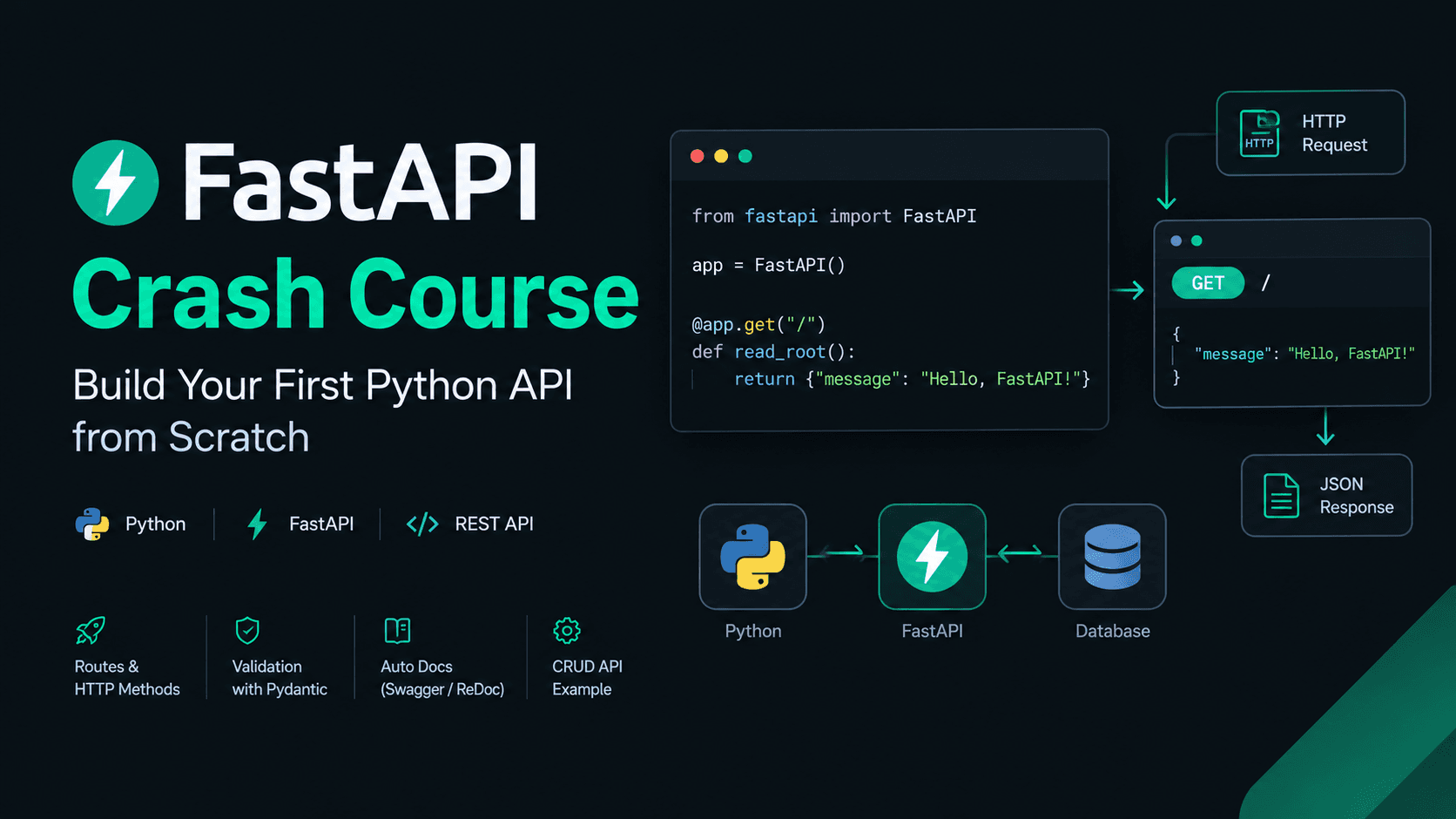
FastAPI Crash Course: Build Your First Python API from Scratch
FastAPI is a modern Python framework for building APIs. It makes it easy to create backend services, validate incoming data, handle HTTP requests, and automatically generate interactive API documentation.
If you already know a little JavaScript, React, or React Native, you can think of FastAPI as one way to build the Python backend that your frontend communicates with.
In this tutorial, we'll start from zero and build a small Task Management API. Along the way, you'll learn routes, HTTP methods, path parameters, query parameters, Pydantic models, CRUD operations, error handling, asynchronous programming, and API testing.
By the end, you'll have a working API and a foundation for building larger Python backends, including APIs for AI applications.
1. What Is FastAPI?
FastAPI is a Python web framework designed for building APIs.
An API (Application Programming Interface) allows different software applications to communicate with one another.
Imagine that you're building a task management application with React Native.
Your mobile app needs to:
- Fetch tasks from a server.
- Create new tasks.
- Update task information.
- Delete completed or unwanted tasks.
- Receive responses from the backend.
FastAPI can handle these backend operations.
Why choose FastAPI?
- Simple syntax: Build endpoints using ordinary Python functions.
- Automatic validation: Check incoming data using Python type hints and Pydantic.
- Interactive documentation: Explore and test endpoints through a generated interface.
- Asynchronous support: Handle supported I/O operations without blocking while waiting.
- Python ecosystem: Integrate Python libraries for AI, machine learning, data processing, and automation.
FastAPI vs. other backend frameworks
| Framework | Language | Common use |
|---|---|---|
| FastAPI | Python | APIs, AI services, backend applications |
| Django | Python | Full-featured web applications and backends |
| Flask | Python | Lightweight web applications and APIs |
| Express | JavaScript | Node.js web servers and APIs |
| Fastify | JavaScript | Fast, schema-oriented Node.js APIs |
There is no universally best framework. Choose based on your project requirements, ecosystem, team experience, and deployment needs.
2. How an API Works
Before writing code, understand the basic request-response cycle.
Suppose a user opens your task management app and requests their tasks.
Scroll to zoom · Drag to pan
The process is straightforward:
- The frontend sends an HTTP request.
- FastAPI matches the request to an endpoint.
- The endpoint runs Python code.
- The application produces a response.
- FastAPI sends the response, commonly as JSON.
For example:
Request
GET /tasksResponse
[
  {
    "id": 1,
    "title": "Learn FastAPI",
    "completed": false
  }
]
JSON is a common format for exchanging structured data between a frontend and backend.
3. Install Python and Set Up the Project
Step 1: Check Python
Open your terminal and run:
python --versionIf your system uses python3, try:
python3 --versionInstall a supported Python version if it isn't already available.
Step 2: Create a project
mkdir fastapi-crash-course
cd fastapi-crash-course
Step 3: Create a virtual environment
A virtual environment keeps project dependencies isolated from other Python projects.
python -m venv .venvActivate it on Windows PowerShell:
.venv\Scripts\Activate.ps1On macOS or Linux:
source .venv/bin/activateStep 4: Install FastAPI
python -m pip install "fastapi[standard]"This installs FastAPI and its standard dependencies, including the development tools used in this tutorial.
Your project is ready.
4. Build Your First API
Create a file named main.py.
Add the following code:
from fastapi import FastAPI

app = FastAPI()


@app.get("/")
def home():
    return {"message": "Hello, FastAPI!"}
Let's break it down.
FastAPI()creates the application instance.@app.get("/")registers a GET endpoint at the root URL.home()is the Python function that handles the request.- The returned dictionary is converted into a JSON response.
Run the application
fastapi dev main.pyOpen this URL:
http://127.0.0.1:8000
You should see:
{
  "message": "Hello, FastAPI!"
}
Congratulations! You've built your first API.
What does localhost mean?
The address 127.0.0.1 refers to your own computer. The development server is running locally, so other devices generally cannot access it using that address.
The default port in this example is 8000.
To make the development server accessible on your local network, you can run:
fastapi dev main.py --host 0.0.0.0Only do this on a network you trust, and remember that 0.0.0.0 is a listening address, not the address you enter in your browser.
5. Understand Routes and HTTP Methods
A route connects a URL and HTTP method to a function in your application.
For example:
@app.get("/tasks")
def get_tasks():
    return {"message": "All tasks"}
When a client sends a GET request to /tasks, FastAPI executes get_tasks().
Different HTTP methods represent different operations.
| Method | Purpose | Example |
|---|---|---|
| GET | Retrieve data | Get all tasks |
| POST | Create a resource | Create a task |
| PUT | Replace a resource | Replace a task |
| PATCH | Partially update a resource | Change completion status |
| DELETE | Delete a resource | Delete a task |
Here is a simple example:
from fastapi import FastAPI

app = FastAPI()


@app.get("/tasks")
def get_tasks():
    return {"message": "Retrieve tasks"}


@app.post("/tasks")
def create_task():
    return {"message": "Create a task"}


@app.delete("/tasks/{task_id}")
def delete_task(task_id: int):
    return {"message": f"Delete task {task_id}"}
Notice that GET and POST can use the same URL path while performing different operations.
6. Path Parameters and Query Parameters
These parameters allow clients to pass information through a URL.
Path parameters
A path parameter identifies a specific resource.
@app.get("/tasks/{task_id}")
def get_task(task_id: int):
    return {"task_id": task_id}
Request:
GET /tasks/5Response:
{
  "task_id": 5
}
Here, task_id: int tells FastAPI that the value should be an integer.
Query parameters
Query parameters are useful for filtering, searching, sorting, and pagination.
@app.get("/search")
def search_tasks(keyword: str, limit: int = 10):
    return {
        "keyword": keyword,
        "limit": limit
    }
Request:
GET /search?keyword=study&limit=5Response:
{
  "keyword": "study",
  "limit": 5
}
The limit parameter defaults to 10 when the client doesn't provide it.
Remember:
- Path parameter: Which resource do you want?
- Query parameter: How do you want to filter or retrieve it?
7. Request Bodies and Pydantic
When creating a task, a client needs to send data to the backend.
A request body commonly contains JSON.
FastAPI uses Pydantic models to define the expected structure and validate incoming data.
First, create a model:
from pydantic import BaseModel


class TaskCreate(BaseModel):
    title: str
    completed: bool = False
Now use it in an endpoint:
@app.post("/tasks")
def create_task(task: TaskCreate):
    return {
        "title": task.title,
        "completed": task.completed
    }
A valid request body looks like this:
{
  "title": "Learn FastAPI",
  "completed": false
}
Because completed has a default value, the client can omit it:
{
  "title": "Learn FastAPI"
}
Pydantic supplies False.
If a required field is missing or a value cannot be validated, FastAPI normally returns a 422 Unprocessable Entity response with details about the validation error.
Why is this useful?
Without a validation model, you would need to write repetitive checks for missing fields and incorrect values.
With Pydantic, you define the expected structure once and reuse it throughout your application.
8. Build a Complete CRUD API
Now let's combine what you've learned into a small Task Management API.
CRUD means:
- Create: Add a task.
- Read: Retrieve tasks.
- Update: Change a task.
- Delete: Remove a task.
For this beginner example, we will use a Python dictionary as temporary storage.
Important: This is a learning example, not production storage. Data disappears when the application restarts, and the storage approach is not designed for concurrent production use. A real application should use a database.
Replace main.py with the following code:
from fastapi import FastAPI, HTTPException, status
from pydantic import BaseModel

app = FastAPI(title="Task Management API")


class TaskCreate(BaseModel):
    title: str
    completed: bool = False


class TaskUpdate(BaseModel):
    title: str
    completed: bool


tasks: dict[int, dict] = {}
next_task_id = 1


@app.get("/")
def home():
    return {"message": "Welcome to the Task API"}


@app.get("/health")
def health_check():
    return {"status": "ok"}


@app.get("/tasks")
def get_tasks():
    return list(tasks.values())


@app.get("/tasks/{task_id}")
def get_task(task_id: int):
    task = tasks.get(task_id)

    if task is None:
        raise HTTPException(
            status_code=status.HTTP_404_NOT_FOUND,
            detail="Task not found"
        )

    return task


@app.post(
    "/tasks",
    status_code=status.HTTP_201_CREATED
)
def create_task(task: TaskCreate):
    global next_task_id

    new_task = {
        "id": next_task_id,
        "title": task.title,
        "completed": task.completed
    }

    tasks[next_task_id] = new_task
    next_task_id += 1

    return new_task


@app.put("/tasks/{task_id}")
def update_task(task_id: int, task: TaskUpdate):
    if task_id not in tasks:
        raise HTTPException(
            status_code=status.HTTP_404_NOT_FOUND,
            detail="Task not found"
        )

    updated_task = {
        "id": task_id,
        "title": task.title,
        "completed": task.completed
    }

    tasks[task_id] = updated_task

    return updated_task


@app.delete("/tasks/{task_id}")
def delete_task(task_id: int):
    if task_id not in tasks:
        raise HTTPException(
            status_code=status.HTTP_404_NOT_FOUND,
            detail="Task not found"
        )

    del tasks[task_id]

    return {"message": "Task deleted successfully"}
Understand the endpoints
| Endpoint | Purpose |
|---|---|
GET / | Welcome message |
GET /health | Basic health check |
GET /tasks | Retrieve all tasks |
GET /tasks/1 | Retrieve task with ID 1 |
POST /tasks | Create a task |
PUT /tasks/1 | Replace the task's editable fields |
DELETE /tasks/1 | Delete task with ID 1 |
Understand the request flow
Scroll to zoom · Drag to pan
This is a simplified view of the application. FastAPI handles request parsing and validation before your endpoint function receives validated parameters and models.
Test creating a task
Send a POST request to /tasks with this body:
{
  "title": "Finish my backend",
  "completed": false
}
The response should resemble:
{
  "id": 1,
  "title": "Finish my backend",
  "completed": false
}
Then call GET /tasks to retrieve the list.
You can update a task with PUT:
{
  "title": "Finish my FastAPI backend",
  "completed": true
}
Finally, call DELETE /tasks/1 to delete it.
9. Automatic API Documentation
One of FastAPI's most useful features is automatically generated API documentation.
Start the development server:
fastapi dev main.pyOpen:
http://127.0.0.1:8000/docs
You'll see the available endpoints, expected request bodies, parameters, and response information.
To test an endpoint:
- Expand an endpoint.
- Click Try it out.
- Enter any required parameters or JSON.
- Click Execute.
- Inspect the response and status code.
FastAPI also provides an alternative documentation interface at:
http://127.0.0.1:8000/redoc
These pages are generated from your routes, type hints, and models.
They make API development easier because you can test your backend before connecting a frontend.
10. Error Handling and Status Codes
An API should communicate failures clearly.
For example, what happens when someone requests a task that doesn't exist?
You can raise HTTPException:
from fastapi import HTTPException


@app.get("/example/{item_id}")
def get_item(item_id: int):
    if item_id != 1:
        raise HTTPException(
            status_code=404,
            detail="Item not found"
        )

    return {"id": 1, "name": "Example"}
FastAPI converts the exception into an HTTP error response.
Common status codes include:
| Status | Meaning |
|---|---|
| 200 | OK |
| 201 | Created |
| 204 | No Content |
| 400 | Bad Request |
| 401 | Unauthorized |
| 403 | Forbidden |
| 404 | Not Found |
| 422 | Request validation failed |
| 500 | Internal Server Error |
| 502 | Bad Gateway |
Use status codes that accurately describe what happened. Avoid returning a successful response when an operation failed.
Also, do not expose stack traces, passwords, tokens, or other sensitive internal details in error responses.
11. Response Models
Pydantic models can also define the structure of outgoing responses.
Create a response model:
from pydantic import BaseModel


class TaskResponse(BaseModel):
    id: int
    title: str
    completed: bool
Use it with the response_model parameter:
@app.get(
    "/example-task",
    response_model=TaskResponse
)
def example_task():
    return {
        "id": 1,
        "title": "Learn response models",
        "completed": False
    }
The response model defines the fields that the API should return.
Response models help keep responses consistent, validate returned data, and document the API contract.
In a real application, you may use separate models such as:
TaskCreatefor incoming creation requests.TaskUpdatefor updates.TaskResponsefor outgoing responses.
This separation becomes especially important when database models contain internal fields that should not be exposed to clients.
12. Understanding Async and Await
Python supports asynchronous programming through async and await.
In a backend, some operations spend much of their time waiting for other systems:
- Calling an external API.
- Querying a database using an asynchronous driver.
- Reading from a network connection.
Asynchronous code can allow the application to handle other work while waiting for supported I/O operations to finish.
A simple asynchronous endpoint looks like this:
@app.get("/async-example")
async def async_example():
    return {"message": "Hello from async FastAPI"}
But async def alone doesn't make a function faster. The benefits depend on the work being performed.
Example: Call an external API asynchronously
Install HTTPX:
python -m pip install httpxThen add this endpoint:
import httpx
from fastapi import HTTPException


@app.get("/external-data")
async def get_external_data():
    try:
        async with httpx.AsyncClient(
            timeout=10.0
        ) as client:
            response = await client.get(
                "https://example.com"
            )

        response.raise_for_status()

    except httpx.HTTPError:
        raise HTTPException(
            status_code=502,
            detail="Unable to retrieve external data"
        )

    return {"status": "success"}
Here, await pauses this coroutine while the request is in progress, allowing the event loop to schedule other work.
Use async def when your operations support asynchronous execution. Normal def is also perfectly valid in FastAPI.
Avoid calling blocking operations directly inside an asynchronous endpoint because they can block the event loop.
13. Organize a Real Project
Putting everything into main.py is fine when learning. Larger applications benefit from separating responsibilities.
One possible project structure is:
fastapi-project/
├── app/
│   ├── __init__.py
│   ├── main.py
│   ├── routers/
│   │   ├── __init__.py
│   │   └── tasks.py
│   ├── schemas/
│   │   └── task.py
│   ├── services/
│   │   └── task_service.py
│   └── database.py
├── tests/
├── .env
├── .gitignore
└── requirements.txt
The exact structure depends on the application. This example illustrates a few common responsibilities:
main.py: Creates and configures the FastAPI application.routers/: Groups endpoints by feature.schemas/: Defines request and response models.services/: Contains business logic.database.py: Manages database configuration and connections.tests/: Contains automated tests.
As your backend grows, you can introduce database models, migrations, authentication, configuration management, and dependency injection.
For persistent data, connect your API to a database such as PostgreSQL or SQLite rather than using an in-memory dictionary.
Before deploying, also add suitable tests, authentication where required, secure configuration, logging, and monitoring.
14. Common Beginner Mistakes
Mistake 1: Forgetting the virtual environment
Dependencies might be installed in the wrong Python environment.
Solution: Activate the project's virtual environment before installing packages or running the application.
Mistake 2: Expecting in-memory data to persist
The dictionary used in our example is reset when the process restarts.
Solution: Use a database for persistent storage.
Mistake 3: Using async everywhere
Asynchronous functions are not automatically faster for every task.
Solution: Match your function style to the libraries and operations you're using.
Mistake 4: Ignoring validation errors
FastAPI's error response usually identifies which field failed validation.
Solution: Read the response body and correct the input.
Mistake 5: Mixing all logic into route handlers
Large endpoint functions become difficult to maintain and test.
Solution: Separate routing, business logic, and data access when the application grows.
Mistake 6: Hardcoding secrets
Passwords, API keys, and database credentials should not be committed to source control.
Solution: Use environment variables or an appropriate secrets manager, and keep private configuration out of the repository.
Mistake 7: Using the development server as a production setup
Development settings are designed for local iteration, not a complete production deployment.
Solution: Follow the current FastAPI deployment guidance and configure the server, secrets, monitoring, and infrastructure appropriately.
15. Practice Exercises
Try these exercises without copying the solution immediately.
Beginner
- Create a
GET /healthendpoint that returns{"status": "ok"}. - Create a
GET /hello/{name}endpoint that returns a personalized greeting. - Add a query parameter to filter tasks by completion status.
Intermediate
- Add a
PATCH /tasks/{task_id}endpoint that updates only the completion status. - Return a 404 error when a task doesn't exist.
- Add a response model for task data.
- Write a test for your health endpoint.
Next step
- Replace the dictionary with a real database.
- Add user authentication.
- Organize your routes, schemas, and business logic into separate modules.
When you can complete these exercises, you'll understand the core mechanics of a simple FastAPI backend.
16. Conclusion
FastAPI is a practical way to build Python APIs without needing a large amount of framework-specific code.
In this crash course, you learned how to:
- Set up a Python project and virtual environment.
- Create routes and handle HTTP methods.
- Work with path parameters, query parameters, and request bodies.
- Validate data using Pydantic.
- Build CRUD endpoints.
- Handle errors and choose suitable status codes.
- Define response models.
- Understand asynchronous endpoints.
- Explore automatic API documentation.
- Plan a maintainable project structure.
The next step is to build a more realistic backend with a database, authentication, tests, and production configuration.
These fundamentals will also help you expose Python-based AI models and services through APIs in the future.
Further Reading
- FastAPI Official Tutorial
- FastAPI First Steps
- Pydantic Documentation
- Python Virtual Environments
- FastAPI Deployment Concepts
Keep building, keep experimenting, and learn by creating something that works.