React Native Architecture: What Happens Behind the UI?

React Native Architecture: What Happens Behind the UI?
You write a component, add some styles, run the app, and suddenly your JavaScript becomes a mobile interface.
But what actually happens between writing JSX and seeing pixels on an Android or iOS screen?
React Native is more than a way to write mobile apps using JavaScript. It combines React's programming model with a rendering system and native platform capabilities to build real mobile applications.
Understanding its architecture helps you debug performance issues, manage state more effectively, and make better decisions as your application grows.
In this article, we'll explore how React Native works behind the UI, from JavaScript execution to native rendering.
1. What Is React Native?
React Native is a framework for building Android and iOS applications using React and JavaScript or TypeScript.
Unlike a typical web application, React Native does not render your interface using HTML elements inside a browser DOM.
Instead, React Native maps your component tree to native platform views through its rendering system.
For example:
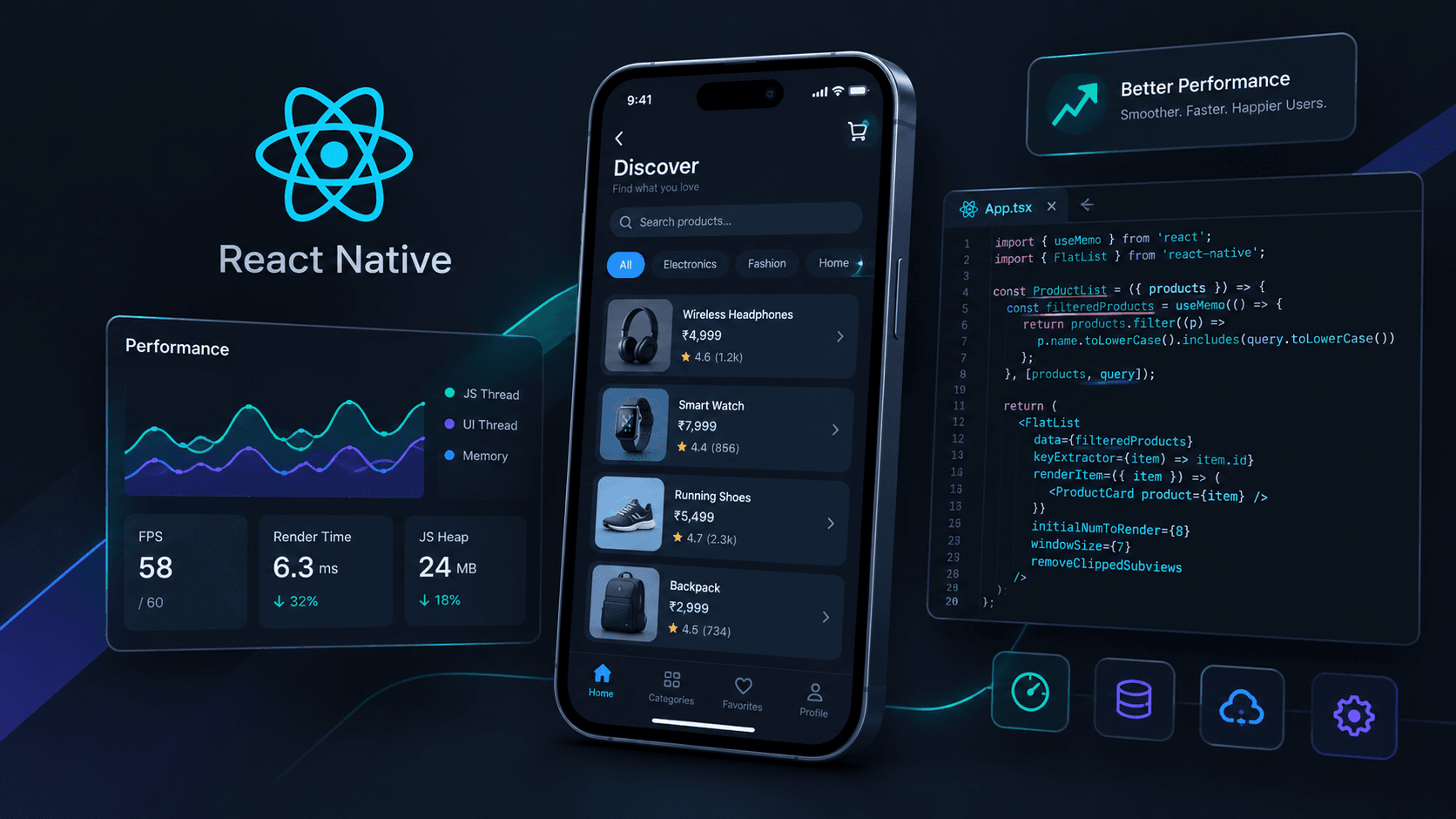
import { View, Text, StyleSheet } from "react-native";

export default function App() {
  return (
    <View style={styles.container}>
      <Text>Hello, React Native!</Text>
    </View>
  );
}

const styles = StyleSheet.create({
  container: {
    flex: 1,
    justifyContent: "center",
    alignItems: "center",
  },
});
Here, View and Text are React Native components, not HTML elements.
React Native uses them to describe an interface that can be rendered through native platform views.
The key idea: You write your UI using React, while React Native connects that UI to the mobile platform.
2. The Big Picture: React Native Architecture
A simplified view of the modern React Native architecture looks like this:
        Your Application
        React + JavaScript
                 |
                 v
          React Renderer
        Reconciliation and
        UI tree preparation
                 |
                 v
         Fabric Renderer
        Native UI integration
                 |
                 v
        Android / iOS Views
                 |
                 v
          Mobile Screen
JavaScript also communicates with native capabilities through interfaces such as TurboModules and JSI.
This diagram is simplified. React Native's rendering, layout, and native integration involve several cooperating systems rather than one strictly linear pipeline.
Let's understand the important parts.
3. JavaScript: Where Your Application Logic Runs
Your components, event handlers, state updates, and much of your application logic run in a JavaScript runtime.
React Native commonly uses Hermes, a JavaScript engine optimized for React Native applications.
Consider this example:
const [count, setCount] = useState(0);

function increment() {
  setCount((current) => current + 1);
}
When the user taps a button, the event handler runs and requests a state update.
React then processes the update and determines what changed in the component tree.
The renderer can use that information to update the native interface.
JavaScript is responsible for much more than drawing screens. It can also handle:
- API requests and response processing
- State management
- Form validation
- Navigation logic
- Business rules
- Event handling
However, not all work happens on the JavaScript thread. Native UI operations, layout calculations, animations, and other tasks may run on different threads or execution contexts.
4. React: Deciding What the UI Should Look Like
React manages your component tree and responds to state and prop changes.
For example:
function Greeting({ name }: { name: string }) {
  return <Text>Hello, {name}!</Text>;
}
If the name prop changes, React processes the update and determines the new UI description.
This process is commonly associated with reconciliation.
Reconciliation helps React determine which parts of the rendered result need to change. It does not mean the entire native screen must be recreated for every update.
For example:
Before:
Hello, Manjit!

After:
Hello, Developer!
React can identify the relevant change and prepare an update to the rendered interface.
Remember: React determines what the UI should look like; React Native's rendering system connects that description to native UI.
5. Fabric: The Modern Rendering System
Fabric is React Native's modern rendering system.
It connects React's component model to native UI rendering and supports closer integration between JavaScript and native code.
At a high level, the rendering process involves several concepts.
React Element Tree
Your JSX describes the intended interface.
<View>
  <Text>Welcome</Text>
</View>
Shadow Tree
React Native maintains an internal representation of the UI called the Shadow Tree.
It represents the structure and properties of the interface. It is not the same thing as the visible native view hierarchy.
Layout Calculation
React Native calculates the layout of elements, commonly using Yoga.
Yoga is a cross-platform layout engine that supports Flexbox-style layout.
It determines properties such as:
- Width and height
- Position
- Alignment
- Spacing
- Layout relationships
Native View Updates
The rendering system coordinates updates to the native UI.
On Android, the resulting interface uses Android platform views and related native components. On iOS, it uses the corresponding Apple platform views.
The exact path depends on the component, platform, and rendering implementation.
6. The JavaScript Thread and UI Thread
Understanding threads is essential when debugging React Native performance.
JavaScript Thread
This is where much of your JavaScript application code executes.
Examples include:
- Processing application state
- Running event handlers
- Handling API responses
- Executing JavaScript-based calculations
UI Thread
The UI thread is responsible for important native interface operations.
Examples include:
- Responding to native UI events
- Performing platform UI work
- Applying native view updates
The UI thread and JavaScript thread are not interchangeable. Their responsibilities overlap with other platform and framework work in a more complex way than this simplified model suggests.
Why does this matter?
Imagine your app receives a large dataset and performs an expensive calculation synchronously on the JavaScript thread.
While that work is running, JavaScript may not be able to process other tasks promptly.
The result could be delayed interactions or dropped frames, especially if the work repeatedly blocks the runtime.
Possible solutions include:
- Moving expensive computation to an appropriate background execution context
- Reducing unnecessary calculations
- Processing large datasets in smaller chunks when appropriate
- Using efficient list-rendering patterns
- Profiling before optimizing
A crucial distinction: moving work off the JavaScript thread does not automatically make every kind of UI operation faster. The bottleneck must be identified first.
7. JSI: Connecting JavaScript and Native Code
JSI stands for JavaScript Interface.
It provides an interface for JavaScript engines and C++ code to interact.
JSI is an important foundation of React Native's modern architecture because it enables native integrations without requiring every interaction to follow the older asynchronous Bridge model.
For example, a native library may expose functionality that JavaScript can access through an appropriate integration built on the runtime and JSI.
JSI itself is not a database, a networking protocol, or a UI component.
Think of JSI as an interface that enables JavaScript and native code to work together more directly.
This does not mean every native call is automatically synchronous, free, or safe to perform on any thread. The library and operation still determine the appropriate execution model.
8. TurboModules: Accessing Native Capabilities
React Native applications often need platform functionality such as:
- Device information
- Native storage
- Sensors
- Notifications
- Platform-specific APIs
TurboModules are part of the New Architecture's system for native modules.
They provide a modern way to expose native functionality to JavaScript, supported by JSI and generated interface specifications.
For example, an application might need a native capability that is not provided directly by React Native.
A native module can expose that functionality through a JavaScript-facing API.
The important distinction is:
- JSI: An interface for interaction between JavaScript and native code.
- TurboModules: A system for exposing native module functionality.
TurboModules are not required for every feature in every app. React Native already provides many APIs, and third-party libraries may offer the additional capabilities you need.
9. Codegen: Generating Native Interface Code
Codegen is another part of React Native's New Architecture.
It uses typed specifications to generate code needed for communication between JavaScript and native implementations.
For example, a library may define a typed interface for a native module or a native component.
Codegen helps generate the corresponding integration code, reducing some manual work and helping keep the interfaces consistent.
It is especially relevant to library authors and developers building custom native integrations.
Most application developers can use React Native without writing Codegen specifications themselves.
10. The Old Bridge vs. the New Architecture
Historically, React Native used a Bridge-based architecture to exchange serialized messages between JavaScript and native code.
The New Architecture changes this model through JSI, Fabric, TurboModules, and related infrastructure.
| Area | Legacy architecture | New Architecture |
|---|---|---|
| JavaScript/native interaction | Primarily asynchronous Bridge messages | JSI-based integration |
| UI rendering | Legacy renderer | Fabric renderer |
| Native modules | Legacy native modules | TurboModules |
| Typed native interfaces | Varies by implementation | Codegen-supported specifications |
| Scheduling | Legacy architecture constraints | Improved integration with modern React features |
This is a high-level comparison, not a claim that every legacy application behaves identically or that all communication in the New Architecture is synchronous.
The New Architecture also does not guarantee that every app will become faster simply by enabling it. Performance depends on application code, libraries, rendering behavior, native work, and the device.
11. What Happens When You Tap a Button?
Let's connect the concepts with a simple example.
import { useState } from "react";
import { View, Text, Pressable } from "react-native";

export default function Counter() {
  const [count, setCount] = useState(0);

  return (
    <View>
      <Text>Count: {count}</Text>

      <Pressable onPress={() => setCount((n) => n + 1)}>
        <Text>Increment</Text>
      </Pressable>
    </View>
  );
}
Here is the simplified sequence:
- The user taps the native button-like component.
- React Native delivers the press event to the appropriate JavaScript handler.
- The handler requests a state update.
- React processes the update and reconciles the component tree.
- The rendering system prepares the necessary UI changes.
- React Native applies the relevant updates to the native interface.
- The user sees the updated count.
This is a conceptual flow, not a guarantee that each step runs on a separate thread or happens as one isolated operation. React Native coordinates the work according to its rendering and scheduling systems.
12. Why React Native Performance Problems Happen
A React Native application can feel slow for several different reasons.
Too Much Work on the JavaScript Thread
Large synchronous calculations can delay event processing.
What to do: Profile the app and reduce or relocate expensive work where appropriate.
Unnecessary Rendering Work
Poor state placement or expensive component calculations can cause avoidable work.
What to do: Keep state close to where it is needed, use stable props where useful, and measure before adding memoization.
Expensive Lists
Rendering a large collection of items at once can increase memory use and affect responsiveness.
What to do: Use FlatList or another suitable virtualized list, provide stable keys, and optimize individual rows.
Heavy Images and Assets
Large images can increase memory consumption and affect loading time.
What to do: Resize assets appropriately, use suitable image formats, and load remote images thoughtfully.
Native or Third-Party Bottlenecks
A slow native module, expensive layout, or poorly optimized dependency can also affect the experience.
What to do: Profile both JavaScript and native behavior instead of assuming every performance issue comes from React.
Development Mode Confusion
Development builds include tooling and checks that can affect performance.
What to do: Evaluate performance in a release build on a representative device before drawing conclusions.
13. Where Expo Fits Into This Architecture
Expo is a platform and toolchain built around React Native.
It provides tools and libraries that simplify development, native configuration, builds, and access to common device capabilities.
Expo does not replace React Native's rendering architecture.
A typical Expo application still uses React Native components, JavaScript execution, and the underlying rendering system.
For example:
import { View, Text } from "react-native";

export default function App() {
  return (
    <View>
      <Text>Built with Expo and React Native</Text>
    </View>
  );
}
You can use Expo's managed workflows without writing native code for many common features. When you need additional native functionality, Expo also supports development workflows that allow native projects and custom native modules.
The choice between Expo and a bare React Native workflow is primarily about development workflow, configuration, and native integration requirements—not two completely different UI rendering architectures.
14. A Practical Mental Model
When reasoning about React Native, remember these responsibilities:
| Concept | Main responsibility |
|---|---|
| React | Component model, state, reconciliation |
| JavaScript runtime | Executes JavaScript application logic |
| Hermes | JavaScript engine commonly used by React Native |
| Fabric | Modern UI rendering system |
| Yoga | Cross-platform layout calculations |
| JSI | Interface between JavaScript and native code |
| TurboModules | Modern native module system |
| Codegen | Generates code for specified native interfaces |
| Expo | Development platform and tooling around React Native |
These systems work together. None of them alone explains the entire process of displaying a mobile screen.
Conclusion
React Native lets developers build mobile applications with React while integrating with Android and iOS platform capabilities.
Behind a simple JSX component, React processes state and component updates, the JavaScript runtime executes application logic, the rendering system coordinates layout and native UI updates, and native modules provide access to platform functionality.
Understanding this architecture helps you go beyond writing components. It gives you a clearer way to investigate performance issues, evaluate libraries, and design applications that remain maintainable as they grow.
The key takeaway: React Native is not simply a website running inside a mobile app. It is a framework that connects React and JavaScript to native mobile UI and platform capabilities.