From Project to Production: What Makes a Developer Project Production-Ready?
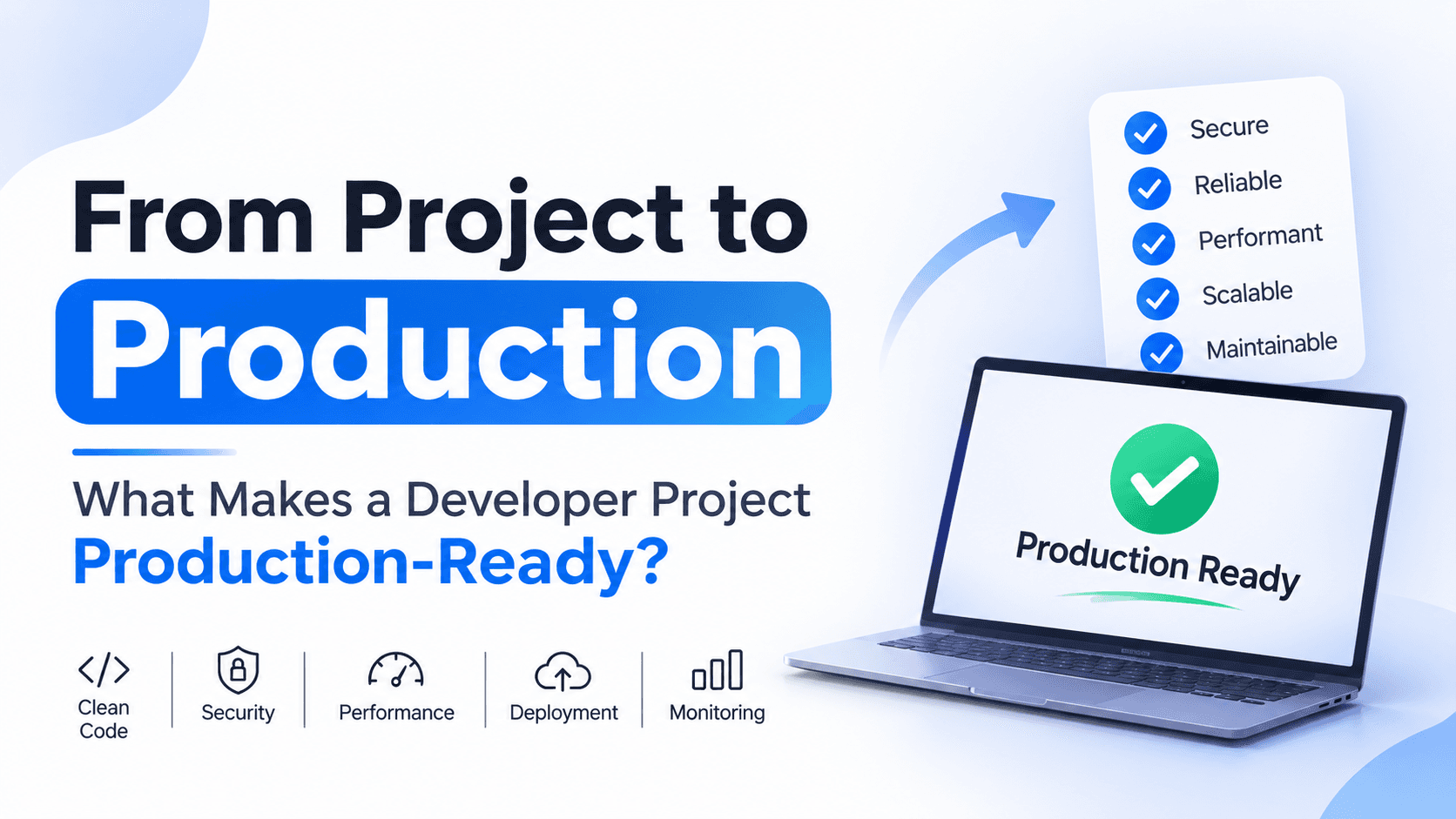
From Project to Production: What Makes a Developer Project Production-Ready?
Building an application that works on your local machine is one thing. Making that application reliable, secure, maintainable, and ready for real users is a completely different challenge.
Many developers build impressive projects with authentication, dashboards, APIs, database integration, and modern UI components. But when it comes to deploying those projects, important questions often remain unanswered:
- What happens when the server crashes?
- Where should API keys and database credentials be stored?
- Can the application handle hundreds or thousands of users?
- How do you identify a production error?
- What happens if a database query becomes slow?
- Can another developer understand and maintain your code?
These are the kinds of questions that separate a working project from a production-ready application.
In this article, we'll take a practical look at what production readiness actually means, using a sample application built with Next.js, Node.js, Fastify, and PostgreSQL.
1. Working Application vs Production-Ready Application
Let's understand the difference first.
Imagine you build a task management application.
It has:
- User registration and login
- Create, update, and delete tasks
- A dashboard
- Database integration
- A REST API
Everything works perfectly on your laptop.
But after deploying it, users start reporting unexpected errors. The database becomes slow, sensitive information appears in logs, and the application crashes when too many requests arrive.
The application works, but it isn't production-ready.
A production-ready application should be designed to handle:
- Real users and real-world traffic.
- Unexpected errors and failures.
- Security threats and invalid requests.
- Application updates and database changes.
- Performance requirements.
- Monitoring and maintenance.
Remember: Production readiness is not a single feature. It is a collection of engineering practices that make software dependable.
2. Start with a Maintainable Project Structure
One of the first things to consider is how your project is organized.
A common beginner mistake is putting everything into a few large files.
For example:
src/
├── app.js
├── routes.js
└── database.js
This might work for a small project, but as the application grows, maintaining it becomes difficult.
A better approach is to separate responsibilities.
For our Fastify backend:
backend/
├── src/
│   ├── config/
│   │   ├── env.ts
│   │   └── database.ts
│   ├── modules/
│   │   └── tasks/
│   │       ├── task.routes.ts
│   │       ├── task.controller.ts
│   │       ├── task.service.ts
│   │       └── task.schema.ts
│   ├── plugins/
│   ├── middleware/
│   ├── utils/
│   ├── app.ts
│   └── server.ts
├── tests/
├── package.json
├── tsconfig.json
└── Dockerfile
Each layer has a responsibility:
| Layer | Responsibility |
|---|---|
| Routes | Define API endpoints |
| Controller | Handle HTTP requests and responses |
| Service | Implement business logic |
| Schema | Validate incoming data |
| Config | Manage application configuration |
| Plugins | Register reusable Fastify functionality |
For example, a route should not contain all the business logic and database operations.
Instead:
// task.routes.ts

fastify.get("/tasks", taskController.getTasks);
The controller handles the request:
// task.controller.ts

export async function getTasks(request, reply) {
  const tasks = await taskService.getTasks(
    request.user.id
  );

  return reply.send({
    success: true,
    data: tasks,
  });
}
The service handles the business logic:
// task.service.ts

export async function getTasks(userId: string) {
  return db.task.findMany({
    where: { userId },
    orderBy: { createdAt: "desc" },
  });
}
The benefit is simple: when something changes, you know where to make that change.
Production principle: Write code that another developer can understand, debug, and extend without having to understand the entire application first.
3. Manage Environment Variables Properly
Your application needs configuration such as:
- Database connection strings
- JWT secrets
- API keys
- Payment gateway credentials
- External service URLs
A beginner might directly write these values inside the source code:
const DATABASE_URL =
  "postgresql://admin:password123@localhost:5432/app";
This is dangerous.
If you push this code to GitHub, your credentials could become publicly accessible.
Instead, use environment variables.
Create a .env file:
NODE_ENV=development
PORT=4000

DATABASE_URL=postgresql://localhost:5432/taskapp

JWT_SECRET=replace-with-a-long-random-secret
Read the values in your application:
const port = Number(process.env.PORT ?? 4000);

const databaseUrl = process.env.DATABASE_URL;
Never commit .env files.
Add them to .gitignore:
.env
.env.*
!.env.example

node_modules/
dist/
However, developers working on the project still need to know which variables are required.
Create an .env.example file:
NODE_ENV=development
PORT=4000
DATABASE_URL=
JWT_SECRET=
This file documents the required configuration without exposing actual secrets.
Validate environment variables
A missing environment variable should be detected when the application starts, not after a user makes a request.
Using Zod:
import { z } from "zod";

const envSchema = z.object({
  NODE_ENV: z
    .enum(["development", "production", "test"])
    .default("development"),

  PORT: z.coerce.number().default(4000),

  DATABASE_URL: z.string().min(1),

  JWT_SECRET: z.string().min(32),
});

export const env = envSchema.parse(process.env);
If a required value is missing, the application fails early with a validation error.
For production, inject secrets through your hosting platform or a secrets manager rather than relying on a committed file.
4. Validate Every Incoming Request
Never assume that users will send the data your application expects.
Consider a registration endpoint.
Your frontend might send:
{
  "name": "Manjit",
  "email": "manjit@example.com",
  "password": "strongpassword123"
}
But an attacker or buggy client could send:
{
  "name": "",
  "email": "not-an-email",
  "password": "123"
}
Without backend validation, invalid data can enter your system.
Use a validation library such as Zod.
import { z } from "zod";

export const registerSchema = z.object({
  name: z.string().min(2).max(50),

  email: z.string().email(),

  password: z.string().min(8),
});
Then validate the request body:
const result = registerSchema.safeParse(
  request.body
);

if (!result.success) {
  return reply.code(400).send({
    success: false,
    message: "Invalid request data",
    errors: result.error.flatten(),
  });
}
Validation should happen on the backend even if your frontend already validates the form.
Why?
Because APIs can be called independently of your UI.
Never trust client-side validation as a security boundary.
5. Handle Errors Consistently
Unexpected errors are inevitable in real applications.
A database may become unavailable. An external API may time out. A user may request a resource that does not exist.
If every endpoint returns errors differently, the frontend becomes difficult to maintain.
For example, avoid inconsistent responses:
{
  "error": "Something went wrong"
}{
"message": "User not found"
}{
"status": false,
"reason": "Invalid input"
}Define a consistent response format.
Successful response:
{
  "success": true,
  "data": {
    "id": "task_123",
    "title": "Complete project"
  }
}
Error response:
{
  "success": false,
  "error": {
    "code": "TASK_NOT_FOUND",
    "message": "The requested task was not found"
  }
}
You can centralize error handling in Fastify:
fastify.setErrorHandler((error, request, reply) => {
  request.log.error({ err: error });

  const statusCode =
    error.statusCode ?? 500;

  return reply.code(statusCode).send({
    success: false,
    error: {
      code: "REQUEST_FAILED",
      message:
        statusCode >= 500
          ? "Internal server error"
          : error.message,
    },
  });
});
In a real application, map known validation, authentication, and business errors to appropriate status codes and error codes. Do not expose stack traces, SQL errors, or internal implementation details to clients.
Also handle expected failures explicitly instead of treating every error as an unexpected server failure.
6. Secure the Application Before Deployment
Security is not something you add after your application becomes popular.
It should be considered from the beginning.
Here are some essential security practices.
6.1 Authentication and authorization
Authentication answers:
Who are you?
Authorization answers:
What are you allowed to do?
For example, a user may be authenticated but should not be able to access another user's private tasks.
A secure API should verify both identity and permissions.
fastify.get(
  "/tasks/:id",
  {
    preHandler: [authenticate],
  },
  taskController.getTaskById
);
Inside the service, also enforce ownership:
const task = await db.task.findFirst({
  where: {
    id: taskId,
    userId: authenticatedUserId,
  },
});
Do not depend only on the frontend to hide unauthorized buttons.
6.2 Password security
Never store passwords as plain text.
Use a dedicated password-hashing algorithm such as Argon2id or bcrypt with appropriate parameters.
import argon2 from "argon2";

const passwordHash = await argon2.hash(password);
During login:
const isValid = await argon2.verify(
  storedPasswordHash,
  enteredPassword
);
Store the password hash, never the original password.
6.3 Rate limiting
An API without rate limiting can be abused by automated clients.
For example, an attacker could repeatedly send login requests to guess passwords or overload your server.
Rate limiting controls how many requests a client can make within a time window.
Example using Fastify's rate-limit plugin:
import rateLimit from "@fastify/rate-limit";

await fastify.register(rateLimit, {
  max: 100,
  timeWindow: "1 minute",
});
For login and other sensitive endpoints, use stricter limits and consider distributed storage such as Redis when running multiple server instances.
6.4 Other essential protections
- Configure CORS with trusted origins.
- Use HTTPS in production.
- Set secure HTTP headers.
- Avoid SQL injection through parameterized queries or a safe ORM.
- Keep dependencies updated.
- Never expose secrets in frontend bundles.
- Apply authorization checks to every protected resource.
Security depends on your architecture and threat model. A checklist helps, but it does not replace security testing.
7. Design the Database for Reliability
Your database is one of the most important parts of your application.
A project may work perfectly with ten records but become slow when the database contains millions of rows.
Consider a task table:
CREATE TABLE tasks (
  id UUID PRIMARY KEY,
  user_id UUID NOT NULL,
  title VARCHAR(255) NOT NULL,
  completed BOOLEAN DEFAULT FALSE,
  created_at TIMESTAMP DEFAULT CURRENT_TIMESTAMP
);
If users frequently retrieve tasks by user_id, an index can help:
CREATE INDEX idx_tasks_user_id
ON tasks(user_id);
An index improves certain queries, but it also adds storage and write overhead. Add indexes based on actual query patterns and inspect query plans.
7.1 Use database migrations
Imagine you need to add a priority column to your existing tasks table.
Manually changing the production database is risky.
Use database migrations to track schema changes:
ALTER TABLE tasks
ADD COLUMN priority VARCHAR(20)
DEFAULT 'normal';
Migration tools help you apply schema changes in a controlled and repeatable way.
Examples include Prisma Migrate, Drizzle migrations, and Knex migrations.
7.2 Manage database connections
Creating a new database connection for every request is not a good approach.
Use a connection pool.
A pool reuses existing connections and manages how many connections can be active at a time.
This improves resource management and helps avoid exhausting database connections.
7.3 Backups and recovery
A database backup is useful only if you can restore it.
Production systems should have:
- Automated backups.
- A defined backup retention policy.
- Restricted access to backup files.
- Regular restore testing.
- A recovery plan for data loss.
Remember: Reliability means preparing for failures before they happen.
8. Optimize Performance and Scalability
A production application should not only work. It should perform well under realistic usage.
Let's look at a few common bottlenecks.
8.1 Pagination
Avoid fetching every record at once.
Bad:
const tasks = await db.task.findMany();Better:
const tasks = await db.task.findMany({
  where: { userId },
  take: 20,
  skip: (page - 1) * 20,
});
Pagination limits the amount of data returned in one request.
For very large or frequently changing datasets, cursor-based pagination can be more efficient and stable than large offsets.
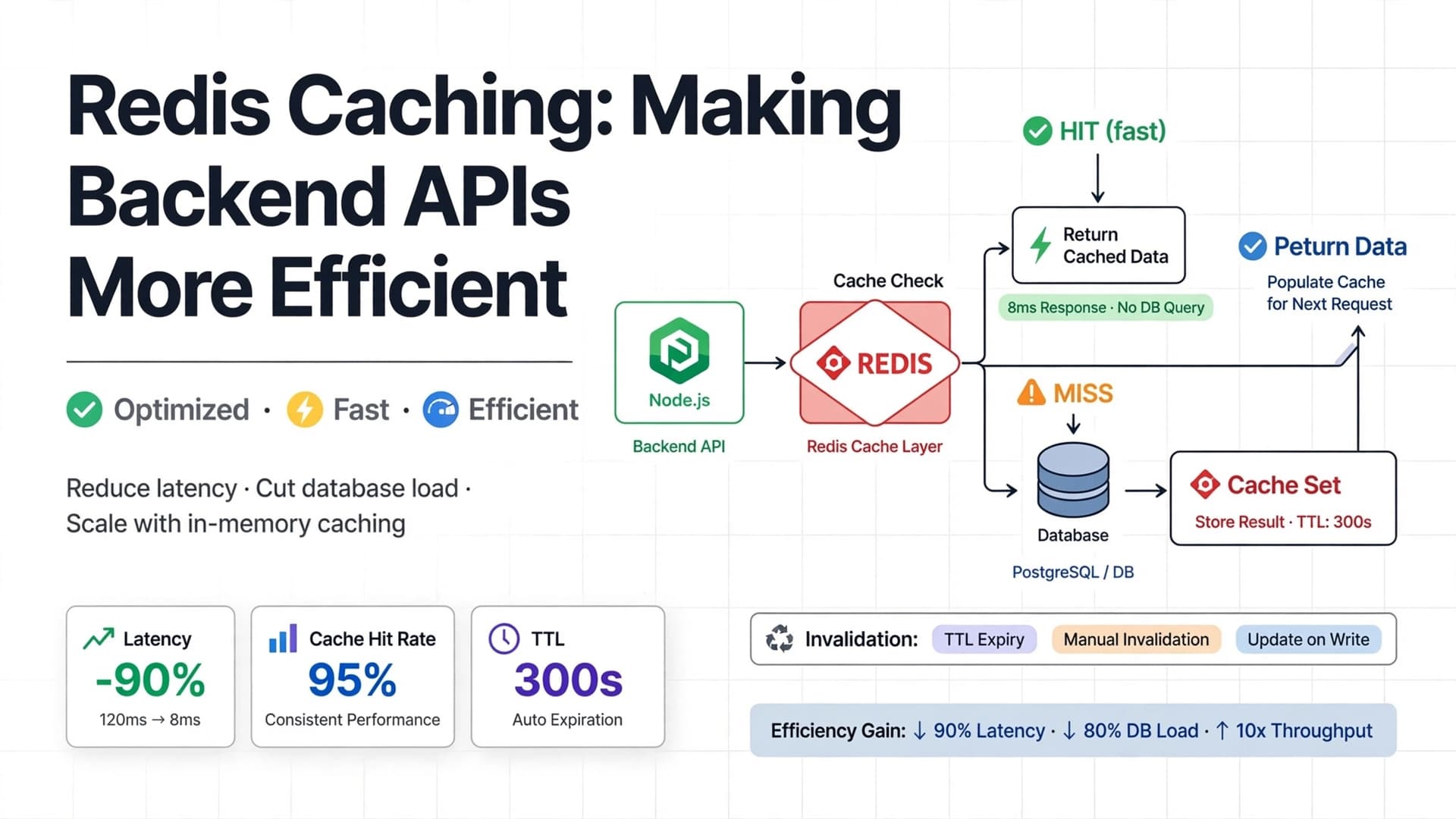
8.2 Caching with Redis
Suppose your dashboard repeatedly requests data that changes infrequently.
Instead of querying the database every time, you can cache the result.
Conceptually:
const cached = await redis.get(cacheKey);

if (cached) {
  return JSON.parse(cached);
}

const data = await getDashboardData();

await redis.set(
  cacheKey,
  JSON.stringify(data),
  "EX",
  60
);

return data;
This example uses a simplified cache-aside approach. Real implementations also need cache invalidation, error handling, and careful handling of stale data.
8.3 Avoid unnecessary frontend rendering
Frontend performance matters too.
In React and Next.js, consider:
- Lazy loading large components.
- Optimizing images.
- Avoiding unnecessary client-side JavaScript.
- Using server rendering where appropriate.
- Keeping component state close to where it is needed.
- Avoiding unnecessary API requests.
Do not optimize everything blindly. Measure performance first and focus on the actual bottlenecks.
8.4 Scale when needed
A simplified architecture might look like this:
Scroll to zoom · Drag to pan
A load balancer distributes requests across application instances.
Redis can provide shared caching, while PostgreSQL stores persistent data.
You do not need this architecture for every small project. Start with a simple, reliable deployment and introduce additional infrastructure when your traffic and operational requirements justify it.
9. Write Tests Before Users Find the Bugs
Manual testing is useful, but it is not enough.
Imagine you update the registration API. Everything seems fine, but the update accidentally breaks login.
Automated tests help detect such regressions.
There are three commonly discussed levels of testing.
Unit testing
Tests a small unit of functionality in isolation.
function calculateTotal(price: number, quantity: number) {
  return price * quantity;
}
Example:
import { describe, expect, it } from "vitest";

describe("calculateTotal", () => {
  it("calculates the total price", () => {
    expect(calculateTotal(100, 3)).toBe(300);
  });
});
Integration testing
Tests how multiple parts work together.
For example:
- API endpoint and database.
- Authentication middleware and protected routes.
- Service and external API.
End-to-end testing
Tests a complete user workflow.
For example:
- User opens the application.
- User registers.
- User logs in.
- User creates a task.
- User sees the task on the dashboard.
Tools such as Vitest, Supertest, and Playwright can help test different parts of a web application.
The goal is not to achieve 100% test coverage at any cost. The goal is to test important behavior and reduce the risk of regressions.
10. Add Logging and Monitoring
Suppose a user reports:
"The application stopped working yesterday."
How will you investigate?
Without logs and monitoring, you may have no idea what happened.
Logging helps you understand application events.
For example:
fastify.log.info({
  userId,
  action: "TASK_CREATED",
  taskId,
});
Fastify includes a logger powered by Pino.
Use structured logs so they can be searched and filtered.
Avoid logging:
- Passwords.
- Authentication tokens.
- API secrets.
- Sensitive personal information.
- Complete payment details.
Monitoring
Monitoring helps you understand the health of your application.
Important signals include:
| Signal | What it tells you |
|---|---|
| CPU usage | How much processor capacity is being used |
| Memory usage | How much memory the application consumes |
| Request latency | How long API requests take |
| Error rate | How frequently requests fail |
| Database connections | Whether the database is under pressure |
| Availability | Whether the application is reachable |
You can use tools such as:
- Prometheus for metrics collection.
- Grafana for dashboards.
- OpenTelemetry for instrumentation and traces.
- Sentry for application error tracking.
Logging, metrics, and tracing provide different perspectives. Together, they make production debugging much easier.
11. Containerize the Application with Docker
A common deployment problem is:
"It works on my machine, but it doesn't work on the server."
Different machines may have different runtime versions, dependencies, and configurations.
Docker helps package an application with its runtime environment.
A simplified backend Dockerfile:
FROM node:22-alpine AS builder
WORKDIR /app
COPY package*.json ./
RUN npm ci
COPY . .
RUN npm run build
FROM node:22-alpine AS runner
WORKDIR /app
ENV NODE_ENV=production
COPY package*.json ./
RUN npm ci --omit=dev
COPY /app/dist ./dist
EXPOSE 4000
CMD ["node", "dist/server.js"]This uses a multi-stage build to keep build-time dependencies out of the final image.
Build the image:
docker build -t task-api .Run the container:
docker run -d \
  --name task-api \
  -p 4000:4000 \
  --env-file .env \
  task-api
For production, also consider:
- Running the container as a non-root user.
- Pinning and regularly updating base images.
- Health checks.
- Resource limits.
- Persistent storage where required.
- Secure secret injection.
- Image scanning.
Docker makes environments more consistent, but it does not automatically make an application production-ready.
12. Set Up a Deployment Pipeline
Imagine you fix a bug and need to deploy it.
A manual process might look like this:
- Connect to the server.
- Pull the latest code.
- Install dependencies.
- Build the application.
- Restart the server.
- Check whether everything works.
This is repetitive and error-prone.
A CI/CD pipeline automates much of this process.
CI means Continuous Integration.
CD commonly refers to Continuous Delivery or Continuous Deployment.
A simplified pipeline:
Scroll to zoom · Drag to pan
For example, GitHub Actions can run tests whenever code is pushed.
A basic workflow:
name: Backend CI

on:
  push:
    branches: [main]
  pull_request:
    branches: [main]

jobs:
  test:
    runs-on: ubuntu-latest

    steps:
      - name: Checkout code
        uses: actions/checkout@v4

      - name: Setup Node.js
        uses: actions/setup-node@v4
        with:
          node-version: 22
          cache: npm

      - name: Install dependencies
        run: npm ci

      - name: Run tests
        run: npm test

      - name: Build application
        run: npm run build
This is a CI workflow. A complete deployment pipeline would add image publishing, deployment credentials, deployment steps, and post-deployment health checks.
For production deployments, also plan how to roll back a failed release.
13. Prepare for Real-World Failures
Even well-designed applications can fail.
Your production system should have a plan for common failure scenarios.
| Failure | Possible preparation |
|---|---|
| Database unavailable | Timeouts, controlled retries, health checks |
| External API is slow | Request timeouts and circuit breakers |
| Server crashes | Process/container restart policy |
| Invalid deployment | Rollback strategy |
| Traffic increases | Capacity planning and scaling |
| Data is lost | Tested backups and recovery |
| Cache becomes unavailable | Safe fallback to the database where appropriate |
Be careful with automatic retries.
Retrying every failed operation can make an outage worse. Use bounded retries, exponential backoff, and jitter where appropriate.
For operations that modify data, consider whether retrying could cause duplicate actions. Idempotency keys can help protect operations such as payments and order creation.
Production engineering is not about preventing every failure. It is about making failures manageable.
14. Don't Forget Documentation and Maintenance
A project is not finished when it is deployed.
Someone may need to work on it six months later, including you.
Useful documentation should explain:
- What the application does.
- How to install dependencies.
- How to configure environment variables.
- How to run the project locally.
- How to execute tests.
- How to build and deploy.
- How to access API documentation.
- How to troubleshoot common problems.
A README might contain:
# Task Management API

## Requirements
- Node.js
- PostgreSQL
- Docker (optional)

## Installation
npm install

## Configuration
Copy .env.example to .env
and configure the required variables.

## Development
npm run dev

## Testing
npm test

## Production Build
npm run build
npm start
Also keep dependencies updated, review security advisories, remove unused packages, and document important architectural decisions.
Maintenance is part of software development, not a separate activity that begins after development ends.
15. Production-Readiness Checklist
Before deploying your next project, use this checklist.
Architecture and code quality
- Project structure is organized.
- Business logic is separated from HTTP handling.
- Naming and coding conventions are consistent.
- Unused code and dependencies are removed.
Configuration and security
- Secrets are not committed to Git.
- Environment variables are validated.
- Input validation exists on the backend.
- Authentication and authorization are implemented.
- Passwords are securely hashed.
- Rate limiting is configured.
- HTTPS is enabled.
- Sensitive information is not exposed in logs.
Database and performance
- Database migrations are managed.
- Important queries are optimized.
- Indexes are added based on query patterns.
- Connections are pooled.
- Pagination is implemented where needed.
- Backup and restore procedures are tested.
Testing and reliability
- Important business logic has unit tests.
- Critical API flows have integration tests.
- Important user workflows have end-to-end tests.
- Errors are handled consistently.
- Timeouts and retry behavior are considered.
- Health checks are available.
Deployment and maintenance
- Production build works.
- Docker image builds successfully, if Docker is used.
- CI pipeline runs tests.
- Deployment and rollback procedures are documented.
- Logs and monitoring are configured.
- README and setup instructions are updated.
Not every application needs every infrastructure component. Choose practices based on the application's risk, scale, and requirements.
16. Final Thoughts
Building a project teaches you how to make software work.
Taking that project to production teaches you how to make software reliable.
The difference is not necessarily a more complicated tech stack or a large amount of code. It is the engineering discipline behind the application.
A good developer thinks about features.
A stronger developer also thinks about security, performance, failures, testing, deployment, and maintenance.
You don't need Kubernetes, multiple servers, distributed databases, and complex infrastructure for every project.
Start with the fundamentals:
- Write maintainable code.
- Protect sensitive information.
- Validate and handle errors.
- Design your database carefully.
- Test important functionality.
- Deploy using a repeatable process.
- Monitor your application.
- Prepare for failures.
As your application grows, your architecture can grow with it.
The real milestone isn't getting your project online. It's building something that you can confidently maintain after it goes online.
What to Learn Next
If you want to become a stronger full-stack or backend developer, start applying these practices to one of your existing projects.
Don't just add another feature. Try to make the project safer, easier to debug, easier to deploy, and easier for another developer to maintain.
That is how you move from building projects to thinking like a software engineer.