Testing APIs Before They Break in Production
Testing APIs Before They Break in Production
An API can work perfectly on your machine and still fail after deployment.
A missing field, an unexpected database error, an expired token, or a small code change can break an endpoint that previously worked. Without proper testing, these problems may reach users before anyone notices.
API testing helps you verify that your backend behaves as expected—not only when everything goes right, but also when something goes wrong.
In this guide, we will explore API testing fundamentals, practical tests using Node.js and Express, automated testing with Jest and Supertest, and ways to include API tests in a development workflow.
1. What Is API Testing?
API testing is the process of sending requests to an API and checking whether the responses match the expected behavior.
A test can verify:
- HTTP status codes
- Response body and data types
- Required fields
- Authentication and authorization
- Input validation
- Error handling
- Database behavior
- Performance under expected workloads
Consider a user API:
GET /api/users/123A successful response might look like this:
{
  "id": "123",
  "name": "Manjit",
  "email": "manjit@example.com"
}
A good test should verify more than whether the server returns a response. It should check whether the status code is correct, the required fields exist, and the returned data follows the API contract.
2. Understand the Different Types of API Tests
Different tests catch different kinds of problems.
Unit Testing
Unit tests verify a small, isolated piece of code, such as a validation function or business rule.
Example:
function calculateTotal(price, quantity) {
  return price * quantity;
}

console.assert(
  calculateTotal(100, 3) === 300
);
This test checks whether the calculation returns the expected result.
Integration Testing
Integration tests verify that multiple parts of an application work together.
For example, an integration test might check whether an Express endpoint correctly interacts with a database or authentication middleware.
End-to-End Testing
End-to-end tests verify a complete workflow through the application's public interface.
For example:
- A user signs in.
- The application receives an authentication token.
- The user requests their profile.
- The API returns the correct profile.
These tests help catch problems that cannot be detected by testing individual functions alone.
Regression Testing
Regression tests verify that existing functionality still works after code changes.
Whenever you fix a bug, consider adding a test that would have caught it. This helps prevent the same bug from returning later.
3. Start with Manual API Testing
Before automating tests, understand how to send requests and inspect responses.
Tools such as Postman, Insomnia, and curl let you test APIs without writing a complete test suite.
For example, send a GET request:
curl -i http://localhost:3000/api/healthThe -i option includes the HTTP response headers.
A successful response might look like:
HTTP/1.1 200 OK
Content-Type: application/json
With a JSON body:
{
  "status": "ok"
}
You can also test a POST endpoint:
curl -i -X POST http://localhost:3000/api/users \
  -H "Content-Type: application/json" \
  -d '{"name":"Manjit","email":"manjit@example.com"}'
This sends a JSON request body to create a user.
For endpoints that require authentication, include a valid test token:
curl -i http://localhost:3000/api/profile \
  -H "Authorization: Bearer YOUR_TEST_TOKEN"
Replace the placeholder with a valid token from your development or test environment.
Important: Never use real production credentials or expose access tokens in screenshots, public repositories, or shared logs.
Manual testing is useful for exploration and debugging. However, repeating the same checks manually after every code change becomes slow and unreliable. That is where automated testing helps.
4. Build a Small Express API
Let's create a simple API that we can test automatically.
First, initialize a Node.js project:
mkdir api-testing-demo
cd api-testing-demo
npm init -y
Install Express:
npm install expressCreate an app.js file:
const express = require("express");

const app = express();

app.use(express.json());

const users = [
  {
    id: 1,
    name: "Manjit",
    email: "manjit@example.com",
  },
];

app.get("/api/health", (req, res) => {
  res.status(200).json({
    status: "ok",
  });
});

app.get("/api/users", (req, res) => {
  res.status(200).json(users);
});

app.get("/api/users/:id", (req, res) => {
  const user = users.find(
    (item) => item.id === Number(req.params.id)
  );

  if (!user) {
    return res.status(404).json({
      error: "User not found",
    });
  }

  return res.status(200).json(user);
});

app.post("/api/users", (req, res) => {
  const { name, email } = req.body;

  if (
    typeof name !== "string" ||
    !name.trim() ||
    typeof email !== "string" ||
    !email.trim()
  ) {
    return res.status(400).json({
      error: "Name and email are required",
    });
  }

  const user = {
    id: users.length + 1,
    name: name.trim(),
    email: email.trim(),
  };

  users.push(user);

  return res.status(201).json(user);
});

module.exports = app;
Create a separate server.js file:
const app = require("./app");

const PORT = process.env.PORT || 3000;

app.listen(PORT, () => {
  console.log(`Server running on port ${PORT}`);
});
Start the server:
node server.jsThe API now provides endpoints for health checks, listing users, retrieving a user, and creating a user.
This example uses an in-memory array for simplicity. The data resets whenever the process restarts, so a real application would usually use a database.
5. Write Automated Tests with Jest and Supertest
Jest is a JavaScript testing framework. Supertest makes it easy to send HTTP requests to an Express application during tests.
Install both as development dependencies:
npm install --save-dev jest supertestUpdate the scripts section of package.json:
{
  "scripts": {
    "start": "node server.js",
    "test": "jest --runInBand"
  }
}
Keep the other fields already present in your package.json; only update the relevant scripts.
Create a file named app.test.js in the project root:
const request = require("supertest");
const app = require("./app");

describe("API health check", () => {
  test("returns a successful response", async () => {
    const response = await request(app)
      .get("/api/health");

    expect(response.status).toBe(200);
    expect(response.body).toEqual({
      status: "ok",
    });
  });
});

describe("GET /api/users", () => {
  test("returns a list of users", async () => {
    const response = await request(app)
      .get("/api/users");

    expect(response.status).toBe(200);
    expect(Array.isArray(response.body)).toBe(true);
    expect(response.body.length).toBeGreaterThan(0);
    expect(response.body[0]).toHaveProperty("id");
    expect(response.body[0]).toHaveProperty("email");
  });
});

describe("GET /api/users/:id", () => {
  test("returns a user that exists", async () => {
    const response = await request(app)
      .get("/api/users/1");

    expect(response.status).toBe(200);
    expect(response.body).toMatchObject({
      id: 1,
      name: "Manjit",
      email: "manjit@example.com",
    });
  });

  test("returns 404 for a missing user", async () => {
    const response = await request(app)
      .get("/api/users/999");

    expect(response.status).toBe(404);
    expect(response.body).toEqual({
      error: "User not found",
    });
  });
});

describe("POST /api/users", () => {
  test("creates a user with valid input", async () => {
    const response = await request(app)
      .post("/api/users")
      .send({
        name: "Test User",
        email: "test@example.com",
      });

    expect(response.status).toBe(201);
    expect(response.body).toMatchObject({
      name: "Test User",
      email: "test@example.com",
    });
    expect(response.body).toHaveProperty("id");
  });

  test("rejects missing required fields", async () => {
    const response = await request(app)
      .post("/api/users")
      .send({
        name: "",
      });

    expect(response.status).toBe(400);
    expect(response.body).toHaveProperty("error");
  });
});
Run the test suite:
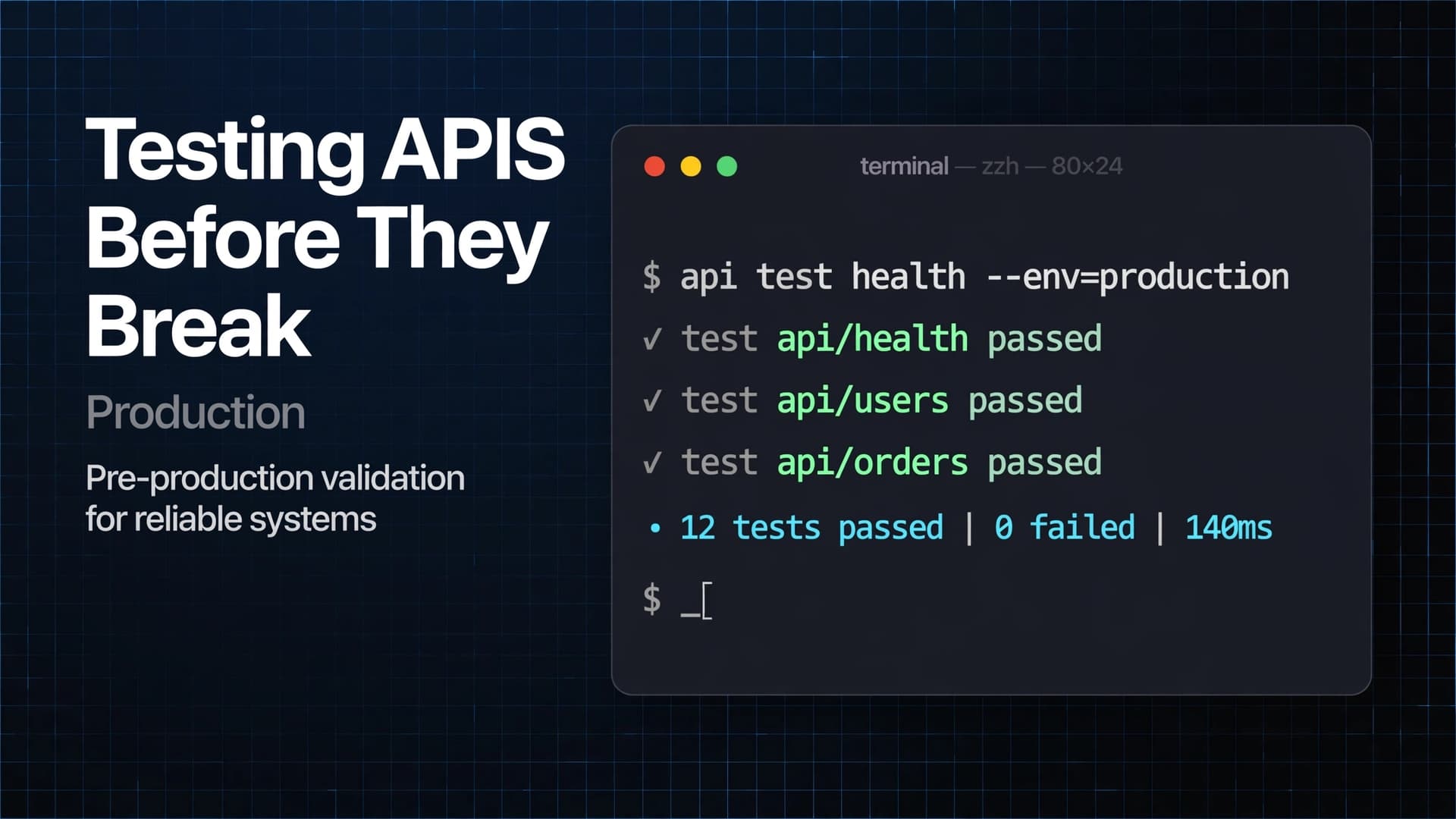
npm testJest runs the test cases and reports which ones pass or fail.
Because this example uses an in-memory array, the tests modify shared application state. The examples above remain valid because they do not assume a particular list length after creation. For a larger suite, isolate test data or reset application state before each test.
Why this matters: Once these tests exist, you can run them after changing the API. If an existing endpoint starts returning an incorrect status code or response body, the test suite can catch the regression before deployment.
6. Test More Than the Happy Path
A happy-path test checks whether the API works with valid input.
Reliable APIs also need tests for invalid input, missing resources, authentication failures, and unexpected conditions.
Consider these cases for a user endpoint:
| Scenario | Expected behavior |
|---|---|
| Valid user ID | 200 OK |
| User does not exist | 404 Not Found |
| Required input is missing | 400 Bad Request |
| Authentication is missing | 401 Unauthorized |
| User lacks permission | 403 Forbidden |
| Resource is created | 201 Created |
These status codes are common conventions, not rules that every API must use identically. Follow your documented API contract.
Additional test cases should include:
- Empty strings and whitespace-only values
- Invalid email formats
- Incorrect data types
- Malformed JSON
- Duplicate records
- Expired or invalid tokens
- Unexpected database failures
- Requests for resources owned by another user
For example, a test for an invalid email might look like this:
test("rejects an invalid email address", async () => {
  const response = await request(app)
    .post("/api/users")
    .send({
      name: "Test User",
      email: "not-an-email",
    });

  expect(response.status).toBe(400);
});
This test will pass only if the API implements email validation and rejects the invalid address. Add that validation to the application before relying on this test.
The goal is not to test every imaginable input. It is to cover the cases most likely to cause bugs, security problems, or incorrect behavior.
7. Verify the API Contract
An API contract defines what clients can expect from an endpoint.
It may specify:
- HTTP method and URL
- Required request headers
- Request body fields
- Response structure
- Status codes
- Authentication requirements
- Error formats
Imagine that your frontend expects a response containing userId, but the backend changes the field to id.
The endpoint might still return 200 OK, yet the frontend could break.
A response-shape test helps detect this problem:
expect(response.body).toEqual(
  expect.objectContaining({
    id: expect.any(Number),
    name: expect.any(String),
    email: expect.any(String),
  })
);
For larger projects, an OpenAPI specification can document endpoints and schemas. Contract testing can then help verify that services and clients agree on those contracts.
Key idea: A successful HTTP response does not necessarily mean a correct API response.
8. Test Authentication and Authorization
Authentication verifies who the user is. Authorization determines what that user is allowed to do.
Both deserve dedicated tests.
For a protected endpoint, consider the following cases:
- No token is supplied.
- An invalid token is supplied.
- An expired token is supplied.
- A valid token belongs to a user with permission.
- A valid token belongs to a user without permission.
Example test for a protected endpoint:
test("rejects a request without authentication", async () => {
  const response = await request(app)
    .get("/api/profile");

  expect(response.status).toBe(401);
});
This example assumes /api/profile exists and requires authentication in your application.
For authorization, test whether a user can access only the resources they are permitted to access. For example, one user should not be able to retrieve another user's private information merely by changing an ID in the URL.
Use test accounts and controlled fixtures rather than real customer data.
9. Test Database Interactions Safely
An endpoint can pass basic tests while still failing when it interacts with a database.
For database-backed APIs, consider testing:
- Successful reads and writes
- Missing records
- Duplicate keys or unique constraints
- Transaction rollback
- Connection failures
- Invalid relationships between records
- Cleanup after tests
Use a dedicated test database or a controlled test environment.
Do not let automated tests accidentally modify production data.
For tests that write records, create isolated test data and clean it up afterward. Database transactions can help when the application's database and test setup support them.
For complex services, unit tests may mock the database layer, while integration tests exercise a real test database. These approaches complement each other.
10. Add API Tests to CI/CD
Automated tests become much more valuable when they run consistently instead of relying on someone to remember them.
A CI pipeline can run tests whenever a developer opens a pull request or pushes a change.
For example, create .github/workflows/test.yml:
name: API Tests

on:
  push:
  pull_request:

jobs:
  test:
    runs-on: ubuntu-latest

    steps:
      - name: Checkout repository
        uses: actions/checkout@v4

      - name: Set up Node.js
        uses: actions/setup-node@v4
        with:
          node-version: 22
          cache: npm

      - name: Install dependencies
        run: npm ci

      - name: Run tests
        run: npm test
This workflow checks out the code, installs dependencies, and runs the test suite on pushes and pull requests.
The Node.js version should match the version supported by your project. In a production workflow, pin third-party actions to verified full commit SHAs when stronger supply-chain controls are required.
If the tests fail, the workflow reports a failure instead of silently treating the change as validated.
For a mature application, the pipeline can also include linting, type checking, database integration tests, security checks, and build verification.
Do not automatically deploy to production just because a basic test suite passes. Deployment should also consider approvals, environment configuration, migrations, monitoring, and rollback procedures.
11. Keep Tests Reliable and Maintainable
A large test suite is not useful if it frequently fails for reasons unrelated to actual bugs.
Follow these practices:
Use descriptive test names.
Prefer returns 404 when the user does not exist over test 3.
Keep tests independent.
One test should not depend on another test having run first.
Avoid real external services when unnecessary.
Mock external API calls in unit tests. Use controlled test environments for integration tests.
Control test data.
Use predictable fixtures and reset state where appropriate.
Avoid testing implementation details.
Focus on observable behavior and API contracts rather than private internal function names.
Keep failure messages useful.
A good failing test should make it clear what was expected and what actually happened.
Do not ignore flaky tests.
Investigate intermittent failures caused by timing, shared state, network dependencies, or nondeterministic data.
12. Common API Testing Mistakes
Testing only successful requests
Invalid input, missing resources, and authentication failures are common sources of production bugs.
Checking only status codes
A response may return 200 OK while containing incorrect or incomplete data.
Using production data in tests
This can create security, privacy, and data-integrity problems.
Writing tests that depend on execution order
Shared state can make tests pass individually but fail when the complete suite runs.
Ignoring security behavior
Test authentication, authorization, input validation, and access boundaries explicitly.
Running tests only before a major release
Small changes can introduce regressions. Run automated checks regularly through CI.
Treating passing tests as a guarantee
Tests cover the scenarios you have written. They cannot prove that every possible failure has been eliminated.
13. A Practical API Testing Checklist
Before releasing a backend change, ask:
- Do successful requests return the expected status code?
- Does the response contain the correct fields and data types?
- Are invalid inputs rejected?
- Are missing resources handled correctly?
- Are authentication and authorization enforced?
- Are database interactions tested?
- Are error responses consistent?
- Are important regression cases covered?
- Does the automated test suite pass in CI?
- Are logs and monitoring available for production issues?
- Is there a safe rollback plan for risky releases?
Not every change requires every test. Prioritize tests according to the endpoint's complexity, risk, and impact.
Conclusion
API testing is not just about confirming that an endpoint responds. It is about verifying that the endpoint behaves correctly across normal requests, invalid input, security boundaries, and unexpected failures.
Start by manually exploring your API. Add automated tests with Jest and Supertest, cover important edge cases, isolate test data, and run the suite in CI before merging changes.
Over time, these practices create a backend that is easier to maintain, safer to modify, and less likely to surprise you in production.
The best time to discover a bug is before your users do.